Easy Tech Tuts
How to Connect GitHub to Power BI - Track Repos & Commits Easily 2026
By Impran M N
Engineering teams generate a huge amount of activity data in GitHub, but it rarely gets turned into something leadership can actually look at. Power BI doesn't ship a built-in GitHub connector, so the fastest path for most teams runs through the Power BI apps marketplace or a Web-based API connection rather than a dedicated GitHub button in Get Data. This guide walks through where that setup starts inside your Power BI workspace, how to install or build a connection for repository data, and how to turn commit history into something a manager can actually read.
01Start from your Power BI workspace
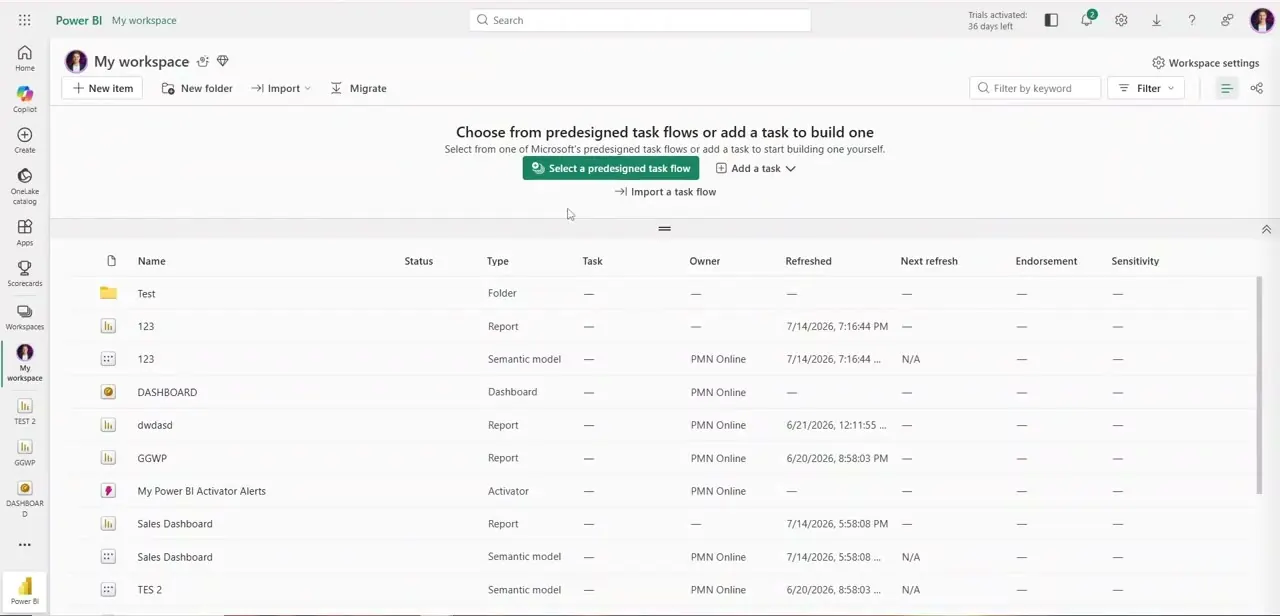
Everything begins in My workspace, the default landing page in the Power BI service where your reports, semantic models, and dashboards are listed by name, type, owner, and last refresh time. Before connecting any new source, it's worth glancing at what's already here — this is also where the GitHub-fed report will eventually live once it's built, alongside whatever other reports and dashboards your workspace already has.
02Generate a GitHub personal access token
Since there's no native GitHub connector, authentication runs through GitHub's own token system rather than an OAuth prompt inside Power BI. In your GitHub account settings, create a personal access token scoped for read access to repositories and commits — for an organization repo, make sure the token has the right org-level permissions too, since a token that only covers your personal repos will fail silently against anything you don't directly own.
03Check the Power BI apps marketplace for a template
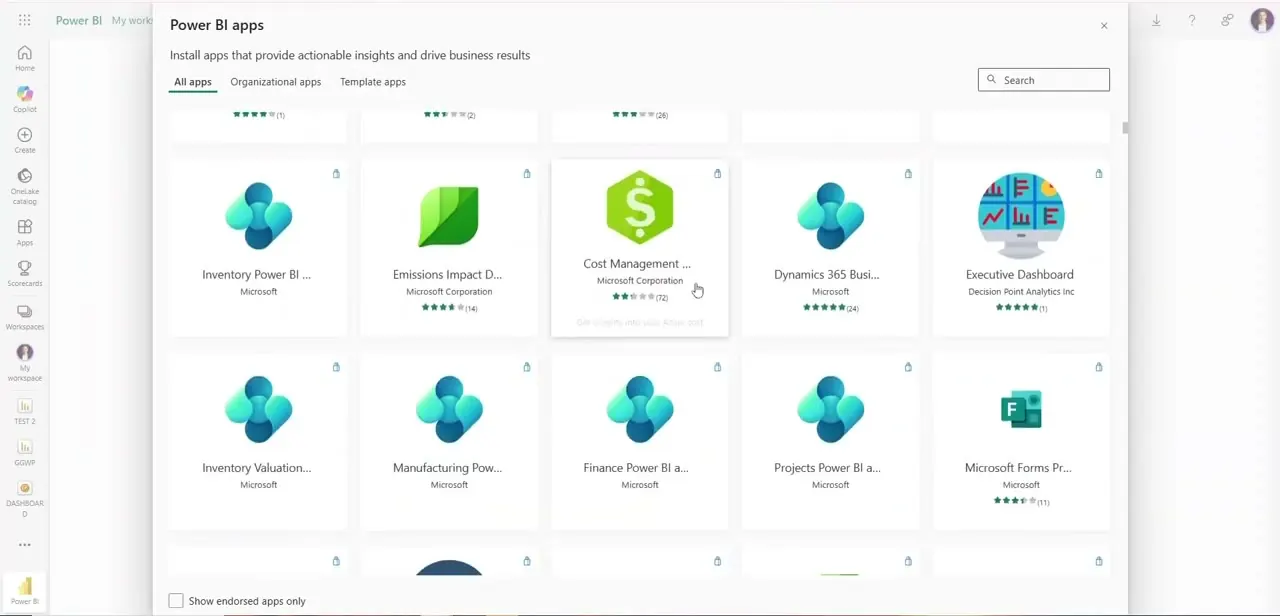
From the workspace, the Apps section opens a marketplace of installable apps from Microsoft and third parties, covering everything from inventory and emissions dashboards to finance and manufacturing templates. It's worth searching this list before building a connection from scratch, since a pre-built template app can save you the work of designing the report layer yourself — though for GitHub specifically, most teams end up building their own connection rather than finding an exact match here.
04Connect to the GitHub API as a Web data source
Back in Power BI Desktop, use Get Data and choose Web, then point it at a GitHub REST API endpoint for the repository you want — commits, issues, or pull request data all have their own endpoints. Paste your personal access token into the HTTP request header when prompted for authentication rather than the URL itself, since embedding it in the address is both less secure and more likely to break if GitHub rotates its API format.
05Shape the JSON response in Power Query
GitHub's API returns commit and repo data as nested JSON, which Power Query needs to expand into flat columns before it's usable in a visual — expect to click through a few Expand and Convert to Table steps to get commit author, date, and message into their own columns. Filter out any noise, like automated bot commits or merge commits, if they'd otherwise skew a chart of contributor activity.
06Build the activity visuals and schedule a refresh
A line chart of commits over time by contributor, or a table comparing commit counts across repositories, are the two views most teams reach for first. Publish the report back to the workspace you started in, then set a scheduled refresh — GitHub API rate limits mean an hourly refresh is usually more than sufficient, and a refresh scheduled too aggressively risks hitting those limits for no real benefit.
Frequently asked questions
Do I need admin access to a GitHub repo to connect it to Power BI?
You need at minimum read access to the repository, and a personal access token scoped for that access, though admin rights aren't strictly required for public read data.
Does Power BI have a dedicated GitHub connector?
No. There's no GitHub connector in Power BI's Get Data catalog, so the common approach is connecting to the GitHub REST API through the Web connector, authenticated with a personal access token.
Can Power BI show data from multiple GitHub repositories at once?
Yes, you can import data from several repositories and combine or compare them within the same Power BI report.
How often does the GitHub data update in Power BI?
Data only updates when the report is refreshed, so scheduling automatic refreshes keeps commit and repo data reasonably current — hourly is usually enough and helps avoid GitHub's API rate limits.
Is a paid GitHub plan required for this integration?
Basic repository and commit data is generally accessible through the GitHub API on free accounts, provided you have proper read permissions and a valid personal access token.
Watch the full walkthrough
The same steps, demonstrated on screen from start to finish.