Easy Tech Tuts
How to Generate Knowledge Base Articles With Freddy AI in Freshdesk
By Impran M N
Writing help articles from scratch takes time, and Freshdesk's Freddy AI can speed that up by generating a first draft for you. This guide covers how to use Freddy AI to create knowledge base content.
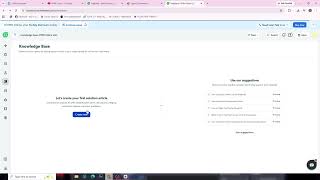
01Open the knowledge base editor
Navigate to the section where you create or edit knowledge base articles in Freshdesk.
02Access the Freddy AI option
Look for the Freddy AI assistant option available within the article creation flow.
03Provide a prompt or topic
Give Freddy AI a topic, ticket reference, or brief description of what the article should cover.
04Review and refine the draft
Read through the AI-generated draft, edit for accuracy and tone, and publish once it meets your standards.
Frequently asked questions
Does Freddy AI write the entire article for me?
Freddy AI generates a draft you can use as a starting point, but reviewing and editing for accuracy is still recommended.
Can Freddy AI create articles from past tickets?
Freddy AI can often use resolved ticket content as a source to help generate relevant article drafts.
Is Freddy AI available on all Freshdesk plans?
AI features like Freddy are typically tied to specific plan tiers or add-ons, so check your plan's availability.
Can I edit the article after Freddy AI generates it?
Yes, the generated content is fully editable before you publish it to your knowledge base.
Watch the full walkthrough
The same steps, demonstrated on screen from start to finish.