 Easy Tech Tuts
How to Create a Form in Confluence Easily 2026
By Impran M N
Confluence doesn't ship with a dedicated drag-and-drop form builder the way a survey tool does, but you don't need one to collect structured input from a team — a table with clearly labeled columns does the job for most internal use cases, and it lives right inside the page your team already reads. This guide walks through building that kind of lightweight form from a blank page: setting up the field columns, publishing it, and recording an entry, plus where to look if you eventually need real conditional logic or automated notifications that a table alone can't give you.
01Start a new page for your form
From your space's content tree, create a new page and give it a clear, purpose-built title — "Creating Form" is a fine working title while you build it out, though you'll want something more specific once it's live, like "Event RSVP" or "Bug Report Intake." The page starts blank except for the title and author byline, with the editor toolbar along the top offering formatting, tables, and other block types you'll insert next.
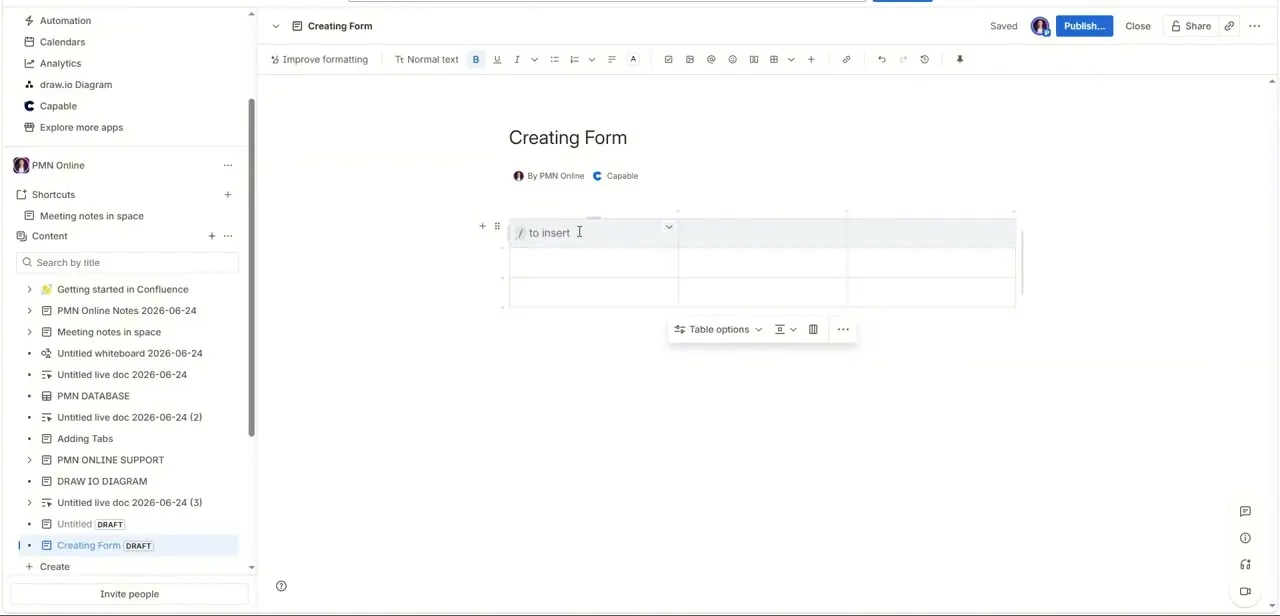
02Insert a table and name your fields
Type / to open the insert menu and choose a table, or use the table icon in the toolbar. This is the actual mechanism behind a Confluence "form" when you're not using a marketplace add-on: each column header becomes a field label, and each row underneath becomes one person's submission. Label the header row with exactly what you want to capture — Name, Email, Topics, Comments — keeping the labels short enough that the columns stay readable once real answers are typed in.
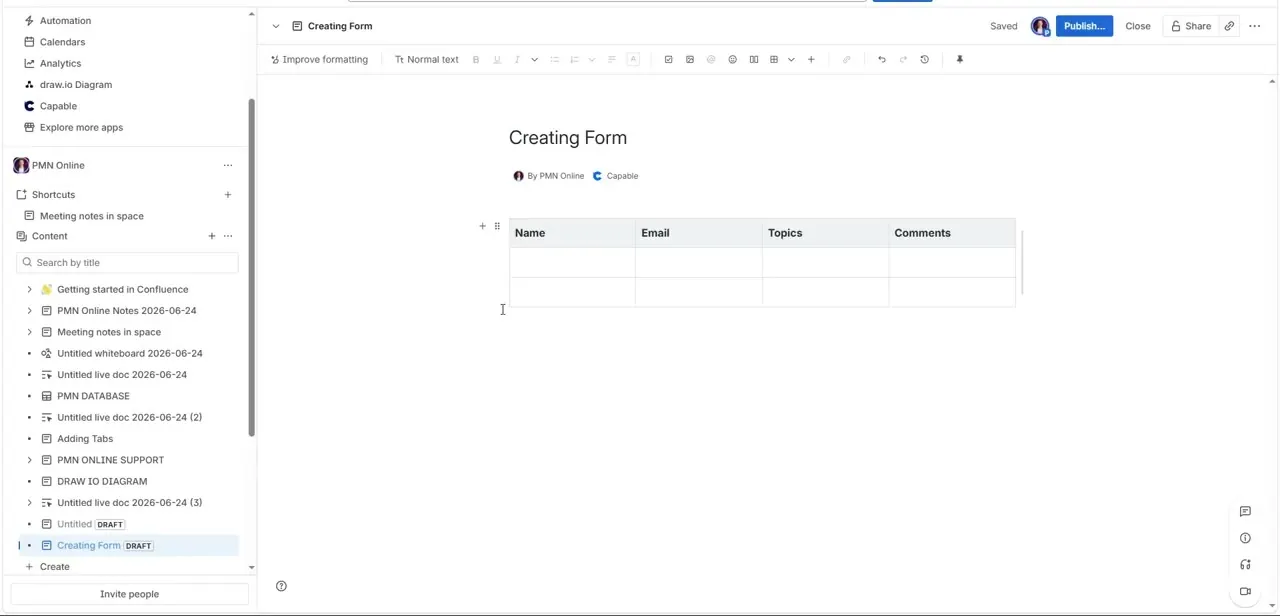
03Test it with a sample entry
Before sharing the page, fill in one row yourself to confirm the columns hold up under a real answer — long email addresses, multi-word topics, and longer comments can force awkward text wrapping if a column is too narrow. Adjust column widths as needed so the table stays scannable rather than cramped.
04Publish the page
Click Publish once the structure and a test row look right. Confluence confirms with a "Page successfully published" notice and offers a Share page link and a Copy link shortcut, so you can send the page straight to whoever needs to fill it in without them hunting through the space tree. The row you tested with — a sample entry from "Josh" with an email, topic, and short comment — stays on the page as a working example of what a completed entry looks like, which doubles as an implicit instruction for the next person filling it in.
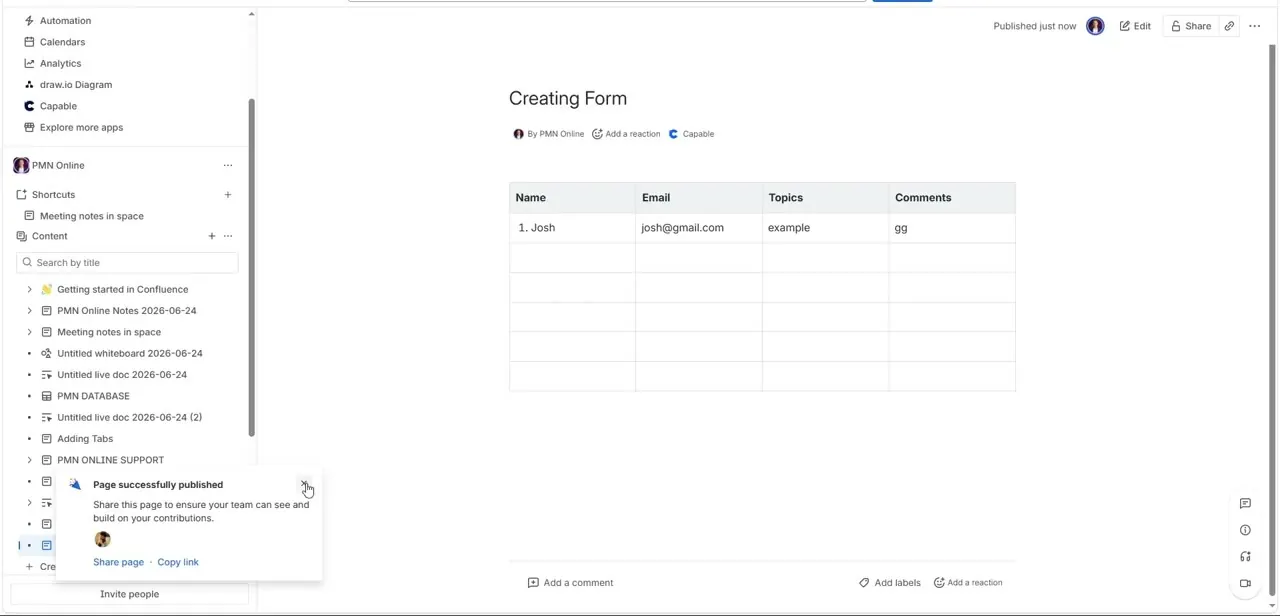
05Collect entries as new rows
Once published, anyone with edit access can add their own row underneath the existing ones by clicking into the last cell and pressing Tab, or by using the row-add control at the bottom of the table. This keeps every submission visible on one page instead of scattered across separate documents, and because it's a normal Confluence table, you can sort, filter, or copy the data into a spreadsheet later without any export step.
06Know when you need a real form add-on instead
A table works well for a small internal group filling in a handful of rows, but it breaks down once you need things a table can't do on its own — validation on required fields, conditional questions that only appear based on a previous answer, or an automatic email alert the moment someone submits. At that point, a marketplace form app built for Confluence is the better tool: it adds a proper submission dashboard, field types like checkboxes and date pickers, and notification routing that a plain table simply doesn't have.
Frequently asked questions
Does Confluence have a native form builder?
Not a dedicated drag-and-drop one. The built-in approach is to use a table with named columns as your fields, which works fine for simple internal data collection but lacks validation, conditional logic, and notifications.
How do people submit answers to a table-based form?
Anyone with edit access adds a new row underneath the existing ones, filling in each column the same way the sample row was filled in. There's no separate submission screen — the page itself is the form.
Can I get notified when someone fills in the form?
Not automatically with a plain table. For submission alerts, conditional questions, or a dedicated response dashboard, you'd need a marketplace form app rather than a manually built table.
Can I turn the collected table data into a chart?
Yes, once the data is in a Confluence table you can copy it into a Confluence database object or export it to a spreadsheet for charting, though a plain table itself won't generate charts on its own.
What should I title a form page in Confluence?
Something specific to what you're collecting — "Event RSVP" or "Bug Report Intake" rather than a generic working title — so it's easy to find in the space tree and obvious what it's for when shared.
Watch the full walkthrough
The same steps, demonstrated on screen from start to finish.


