 Easy Tech Tuts
How to Connect Wix Email to Gmail Easily 2026
By Impran M N
There are two different things people mean by "connect Wix email to Gmail," and it matters which one you're after. Manually forwarding a custom-domain mailbox into Gmail via POP3 is one route, but Wix also ships a built-in Gmail integration that works the other direction: it links your Gmail account to the Wix Inbox so conversations that start on your site — through forms, live chat, or messages — continue in your Gmail without you having to log into two places. This guide covers that native connection, exactly as it appears in the Wix dashboard.
01Open the Wix Inbox
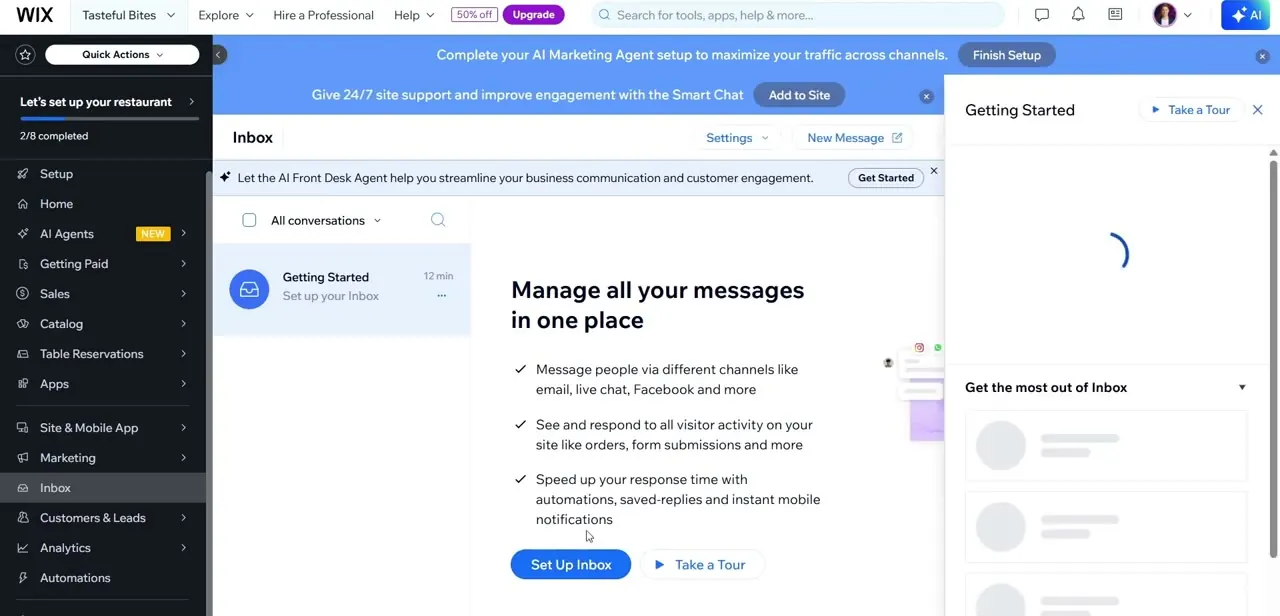
From your site dashboard, click Inbox in the left-hand menu. This is the central hub for every message a visitor sends you, whether it arrives through a contact form, live chat widget, or another connected channel. The Inbox is the piece Gmail actually connects to, so it's worth knowing your way around it before setting anything up — features like saved replies and automations live here too, and they'll apply to messages regardless of whether you're reading them in Wix or in Gmail after connecting.
02Go to Settings and find the Gmail Account page
Navigate to Settings, then Communication Channels, then Gmail Account. This dedicated page is where the connection lives, separate from your general site settings. It's not grouped with billing or domain settings, so if you're hunting for it the Communication Channels section is the one to check first.
03Review what connecting actually does before you click through
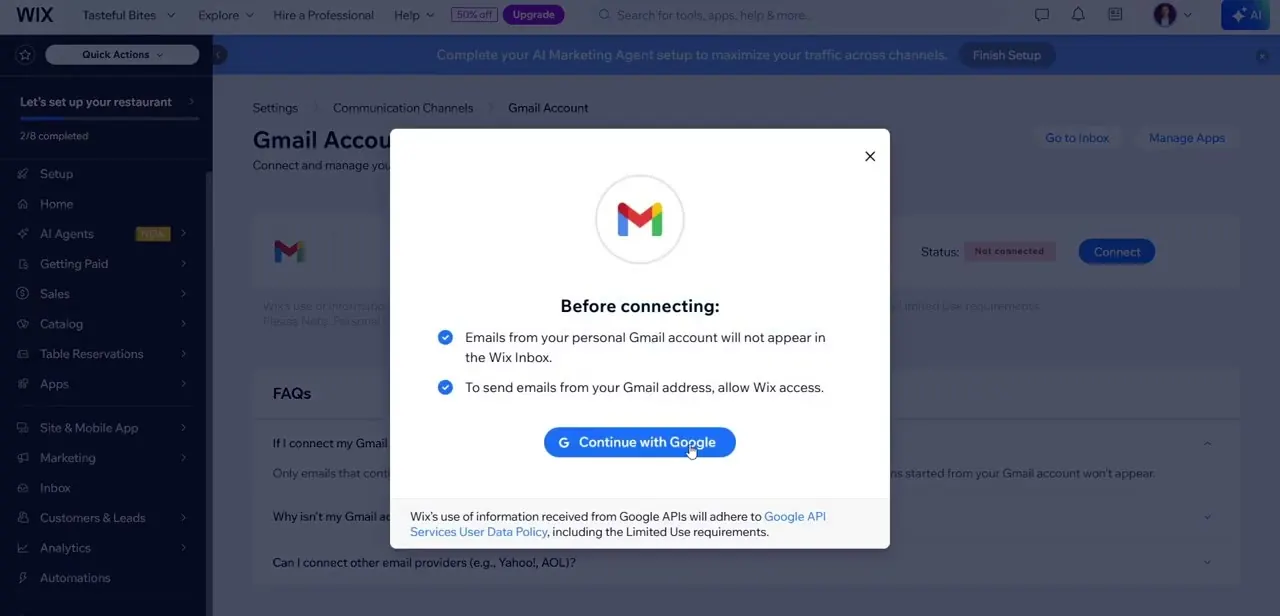
Before you connect, Wix shows two conditions worth reading carefully. First, emails from your personal Gmail account will not appear in the Wix Inbox — this only syncs conversations that started on your site.
Second, to send emails from your Gmail address through Wix, you need to grant Wix access to your Google account. Click Continue with Google once you understand the scope, and you'll be sent through Google's standard OAuth consent flow rather than typing in a password anywhere inside Wix.
04Confirm the connection is active
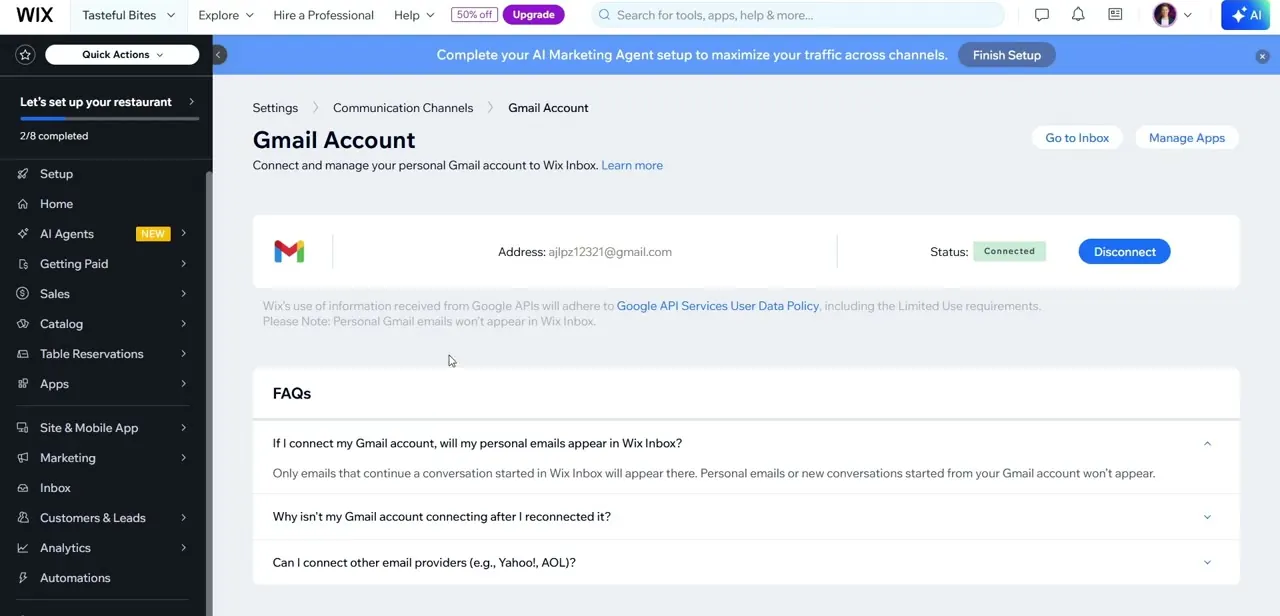
After granting access, you'll land back on the Gmail Account page with the connected address displayed and its status showing Connected. A Disconnect button sits right next to it if you ever need to unlink the account, which is worth knowing since there's no separate confirmation step buried in a different menu — disconnecting here immediately breaks the sync.
05Understand what syncs and what doesn't
The built-in FAQ on this page answers the question most people get wrong: only emails that continue a conversation already started in Wix Inbox will appear there. A brand-new email you send from your personal Gmail account, unrelated to any Wix conversation, will not show up in the Inbox. This is a continuation sync, not a full mailbox import, so don't expect your entire Gmail history to populate inside Wix.
06Reconnect if the sync stops working
If your Gmail account stops connecting after you've reconnected it, Wix's own troubleshooting notes point to permissions or token expiry as the usual cause — disconnect fully, then run through the Continue with Google flow again from scratch rather than trying to patch a half-connected state. The same Gmail Account settings page also answers whether other providers like Yahoo or AOL can be connected, so check there if Gmail isn't your primary address.
Frequently asked questions
Will my personal Gmail emails show up in the Wix Inbox after connecting?
No. Wix states directly on the connection screen that emails from your personal Gmail account will not appear in the Wix Inbox — only conversations that started on your site sync through.
Do I need to enter a password to connect Gmail to Wix?
No. The connection uses Google's standard OAuth flow — you click Continue with Google and grant access through Google's own consent screen, never typing a password into Wix.
What happens if I send a new email from Gmail that isn't related to a Wix conversation?
It won't appear in the Wix Inbox. Only messages that continue an existing conversation started through your site sync between the two.
Can I disconnect Gmail from Wix later?
Yes, the Gmail Account settings page has a Disconnect button right next to the connected address, and disconnecting takes effect immediately.
Can I connect other email providers besides Gmail?
Wix addresses this in the same settings page's FAQ section, so check Settings → Communication Channels → Gmail Account for current provider support, including options like Yahoo or AOL.
Watch the full walkthrough
The same steps, demonstrated on screen from start to finish.


