Easy Tech Tuts
How to Pay for Udemy | All Payment Methods Explained | Easily 2026
By Impran M N
Udemy supports several ways to pay for courses, and knowing where the payment settings actually live makes checkout faster and helps you avoid failed transactions. This guide walks through the real path from your Udemy dashboard to the Payment methods page, then covers card payments, PayPal, and gift cards as the main ways to check out. It's aimed at anyone about to purchase a course, from first-time learners to businesses investing in team training who want their billing details set up correctly before they buy.
01Start from your Udemy dashboard
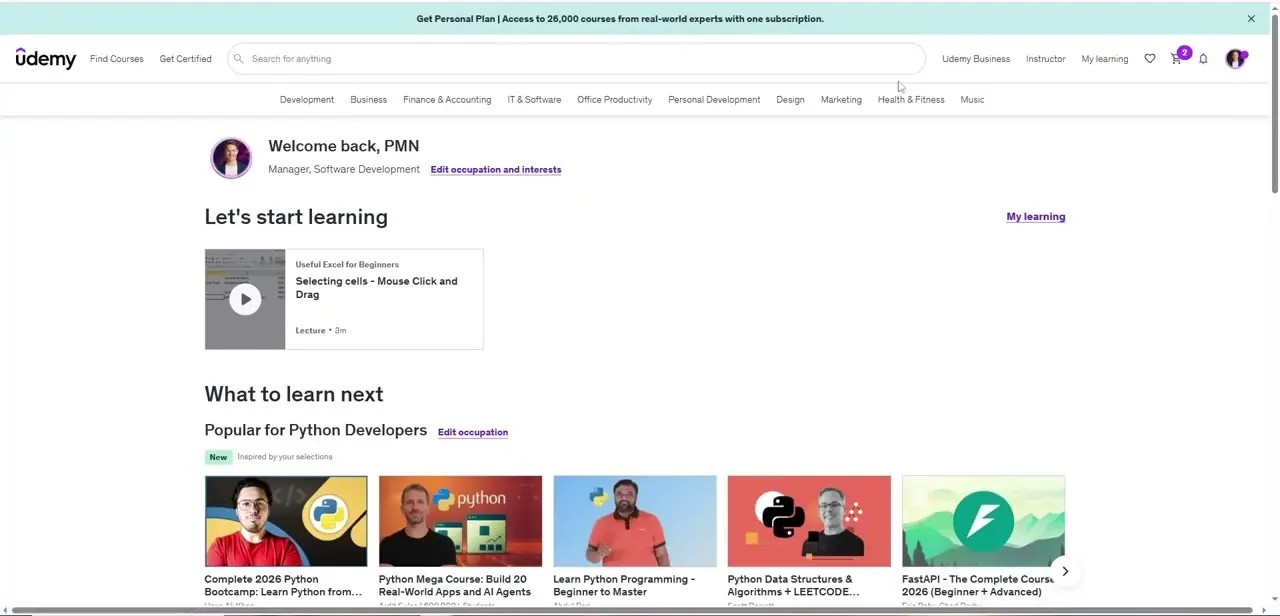
Once you're logged in, Udemy lands you on your personal homepage — "Let's start learning" with your most recent lecture, followed by recommended courses based on your occupation and interests. This page also shows a shopping cart icon in the top-right with a badge count if you already have courses queued up for checkout. Payment isn't handled here directly; this is just your starting point before heading into account settings.
02Open your account menu
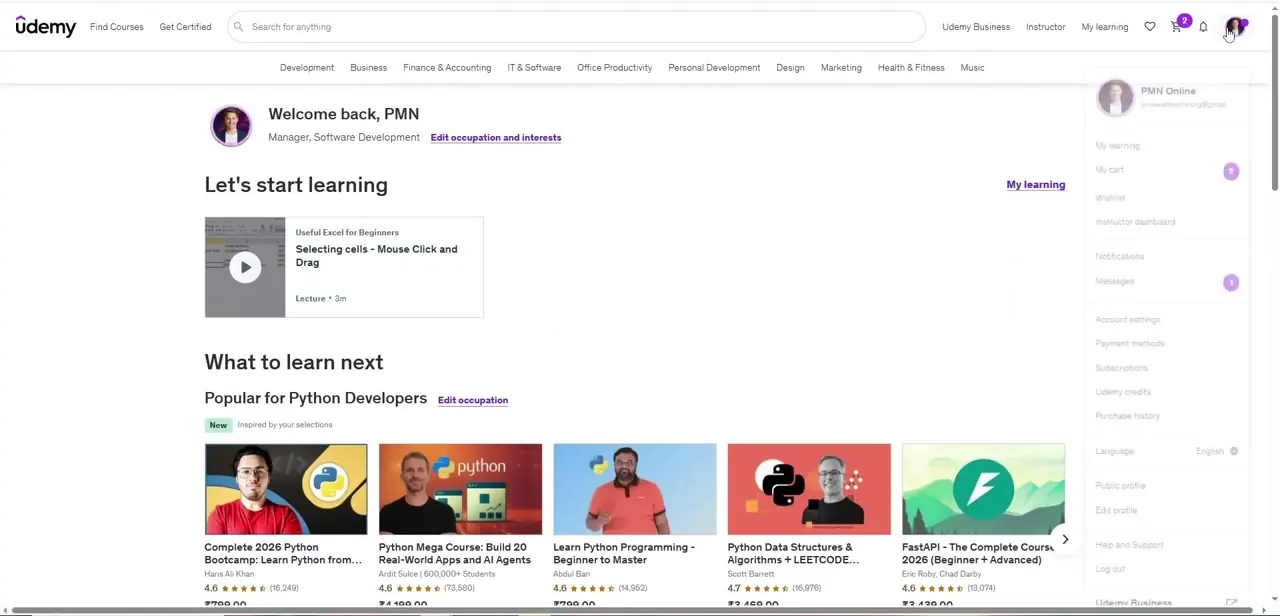
Click your profile picture in the top-right corner to open the account dropdown. It's a long menu — My learning, My cart, Wishlist, and Instructor dashboard sit at the top, followed by Notifications and Messages, and then the settings section further down with Account settings, Payment methods, Subscriptions, Udemy credits, and Purchase history. Payment methods is the one you want if you're setting up how you'll pay before you buy anything.
03Review your saved payment methods
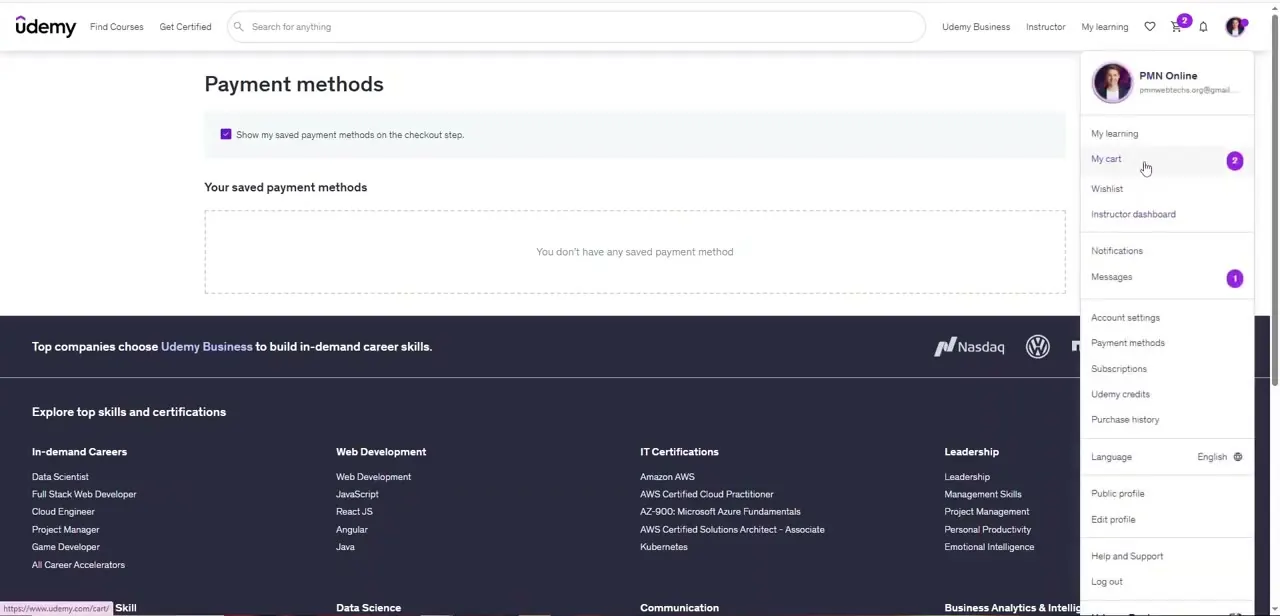
Selecting Payment methods opens a page with a single checkbox — "Show my saved payment methods on the checkout step" — and a list underneath. On an account with nothing saved yet, this list just says "You don't have any saved payment method," which is normal if you've never bought a course before. Saving a method here means you won't need to re-enter card details every time you check out, which is worth doing before a sale if you plan to buy more than one course.
04Pay with a credit or debit card
Card payments are the most common way to check out on Udemy and typically the fastest, since Udemy's checkout form takes a card number, expiry, and security code directly without redirecting you elsewhere. If you'd rather not save the card to your account, you can leave the checkbox from the previous step unchecked and enter your details fresh each time instead.
05Use PayPal for course purchases
If you'd rather not enter card details directly into Udemy, PayPal is offered as an alternative at checkout. Selecting it redirects you to log into your PayPal account and approve the charge there, which keeps your card number off Udemy's checkout form entirely and is a reasonable choice if you already use PayPal for other online purchases.
06Apply a Udemy gift card
Gift cards can be applied toward course purchases at checkout, which is useful if you've received one or want to cap your learning spend for the month. Enter the code in the designated field during checkout and the balance applies to your order total before any remaining amount is charged to your card or PayPal.
07Troubleshoot a failed payment
If a payment doesn't go through, the most common causes are an expired card, a typo in the card number or billing address, or a bank declining an unfamiliar online charge. Double-check the details you entered against the Payment methods page, confirm the card hasn't expired, and if it still fails, try PayPal or a different card rather than repeatedly resubmitting the same failing one.
Frequently asked questions
Can I pay for Udemy courses with PayPal?
Yes, PayPal is one of the supported payment methods for purchasing courses on Udemy, offered alongside credit and debit cards at checkout.
Does Udemy accept gift cards?
Yes, Udemy gift cards can be applied toward course purchases as one of the available payment options at checkout.
Where do I manage my saved payment methods on Udemy?
Open your account menu from the profile icon in the top-right corner and choose Payment methods — it's listed alongside Account settings, Subscriptions, and Purchase history.
What should I do if my Udemy payment fails?
Check for common issues like an expired card or incorrect billing details on your Payment methods page. If it keeps failing, try PayPal or a different card instead of resubmitting the same one.
Is it cheaper for businesses to buy Udemy courses in bulk?
Payment methods and options can support business use cases like team training, though pricing structures depend on what you're purchasing and whether it goes through Udemy Business.
Watch the full walkthrough
The same steps, demonstrated on screen from start to finish.