Easy Tech Tuts
How to Get Semrush API Easily 2026
By Impran M N
Pulling Semrush data programmatically opens the door to custom dashboards and automated reporting, but API access isn't bundled into every plan the way the dashboard tools are — it has its own subscription requirement and its own unit-based pricing. This guide covers confirming whether your plan qualifies, understanding the three-step path Semrush lays out for getting started, and finding the account screen where your actual API key and unit balance live.
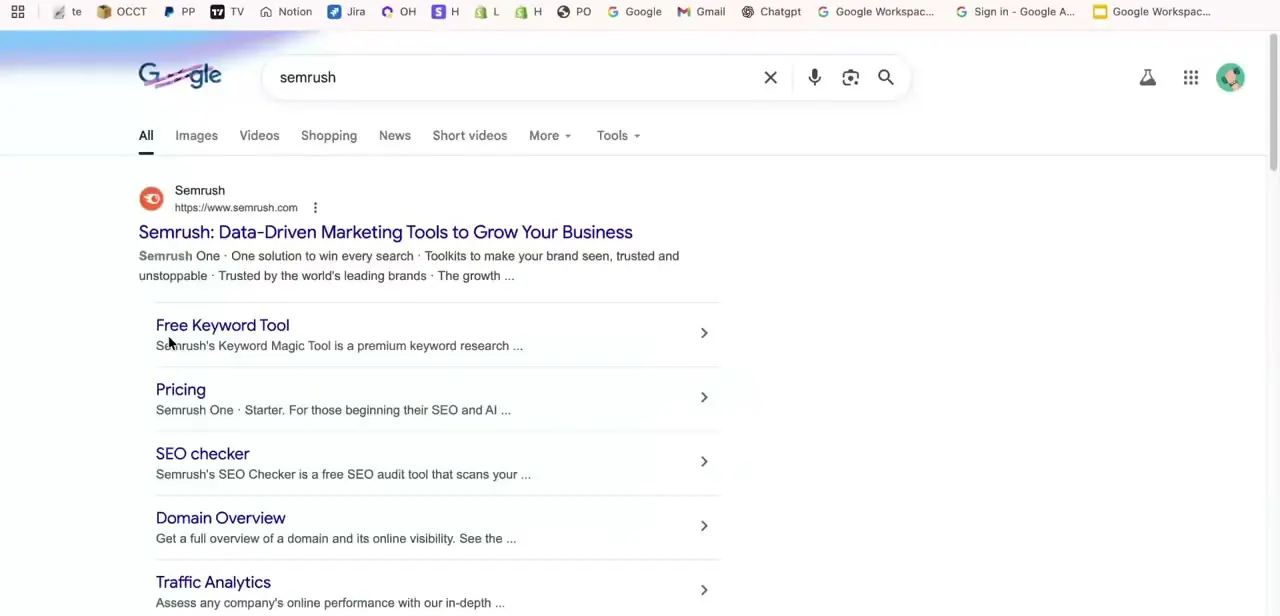
01Search for Semrush and confirm the official site
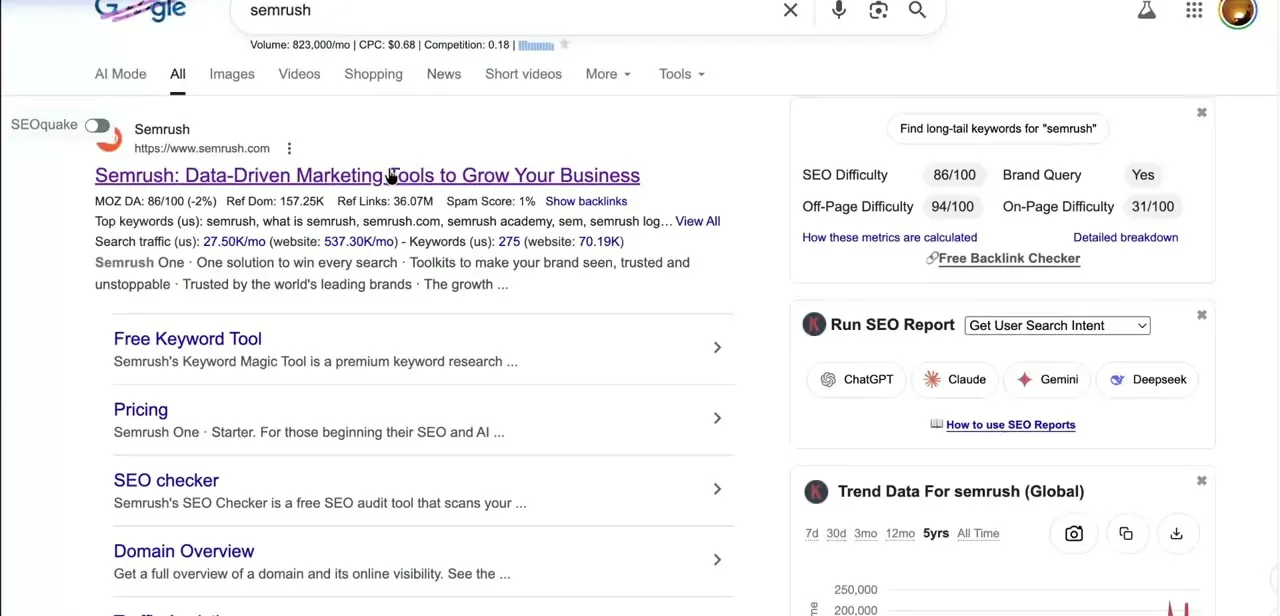
A plain search for "semrush" is the safest starting point — Google often surfaces extra context alongside the listing, including SEO Difficulty scores and quick actions to run an SEO report through tools like ChatGPT, Claude, Gemini, or Deepseek if you have an SEO browser extension installed. None of that is required for API access, but it's a reminder that the official semrush.com domain is where account and billing settings actually live, not a third-party tool.
02Check your subscription for API access
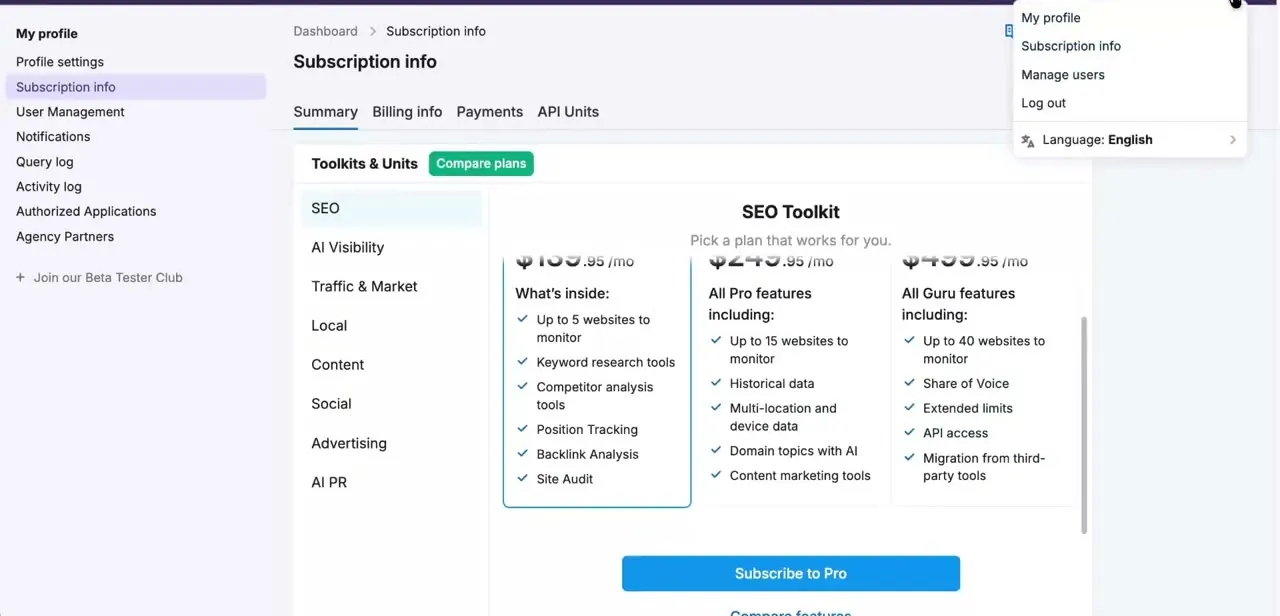
Open your account icon and go to Subscription Info to see your current plan's toolkit breakdown. API access is typically listed as a feature of higher tiers — in the SEO Toolkit comparison, it shows up under a Guru-level plan alongside things like Extended limits and Migration from third-party tools, while a lower Pro plan includes Position Tracking, Backlink Analysis, and Site Audit but not API access on its own. Confirm this against your specific plan before assuming you're covered.
03Follow the official three-step path to API access
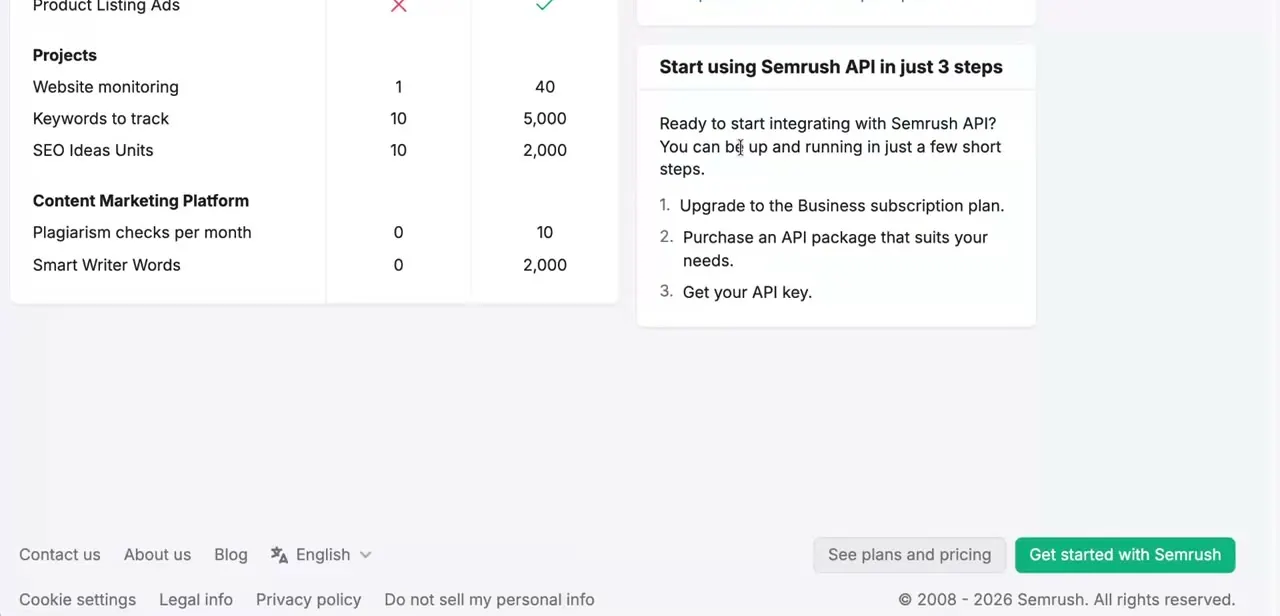
Semrush lays this out plainly: upgrade to a Business-level subscription plan, purchase an API package sized to your needs, then get your API key. It's worth reading in this order because skipping straight to "get a key" without the right plan or a purchased unit package just leads to a key that can't actually pull data yet.
04Buy an API unit package sized to your usage
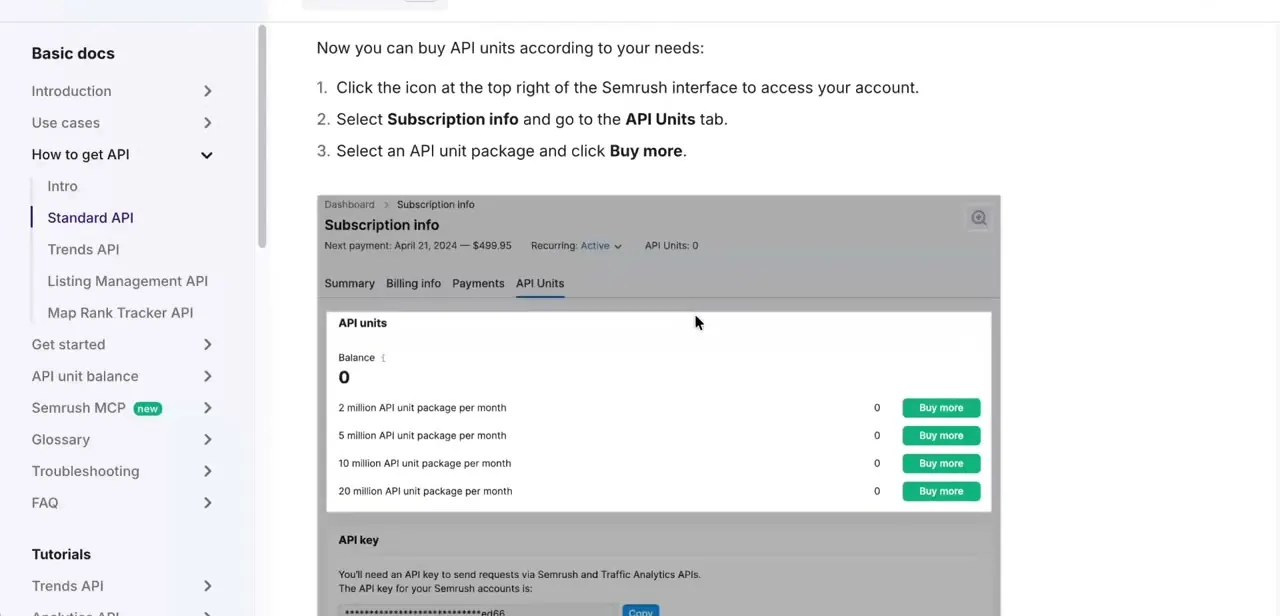
Head to Subscription Info and open the API Units tab, where your current balance and available packages are listed together — options here typically range from a 2 million unit package up to 20 million, each with its own monthly cost. Different request types consume different amounts of units, so a rough estimate of your expected call volume before buying saves you from either running out mid-project or overpaying for headroom you won't use.
05Copy your API key
Underneath the unit packages on that same API Units tab is the API key itself, partially masked with a Copy button next to it. This is the credential you'll pass with every request to authenticate against Semrush's Traffic Analytics, Keyword, and other APIs — treat it like a password, since anyone with the key can draw down your purchased units.
06Make a basic test request
Before building anything complex, send one simple request — a keyword overview or domain summary call is a good first test — using your API key to confirm authentication works and units are deducting as expected. Semrush's documentation covers the exact endpoint structure and parameters for each report type once you're past this initial check.
07Monitor your remaining units
Return to the API Units tab periodically to watch your balance, especially if you're running scheduled jobs rather than one-off pulls. Running out mid-cycle means requests start failing until you buy more units or your plan's allocation refreshes, so it's worth building a usage buffer into whatever you're automating rather than cutting it close to the limit.
Frequently asked questions
Do all Semrush plans include API access?
No, API access and the number of included units typically vary by plan, so you'll want to confirm this with your specific subscription under Subscription Info.
What can I do with the Semrush API?
The API lets you pull data like keyword research, traffic analytics, and backlink analysis programmatically for use in custom dashboards or reports.
What happens if I run out of API units?
Once you exhaust your available API units, you'll typically need to purchase additional units from the API Units tab or wait for your plan's allocation to refresh.
Is coding experience required to use the Semrush API?
Yes, some technical or development knowledge is needed to send API requests and work with the returned data effectively.
Watch the full walkthrough
The same steps, demonstrated on screen from start to finish.