Easy Tech Tuts
How to Integrate Notion With Jira
By Impran M N
Teams often keep planning docs and specs in Notion while tracking execution in Jira, and without a link between the two, whoever's in Jira has to go hunting for the right Notion page separately. There's no first-party Notion-built integration for this — instead, the practical route is a Jira Marketplace app called Notion+ for Jira, built by a third-party developer (Appsz), which embeds published Notion pages directly inside a Jira issue as a tab. This guide covers finding that app in the Jira Marketplace, what it actually does, and what to check before installing it on a real team.
01Know what you're linking a Notion page to
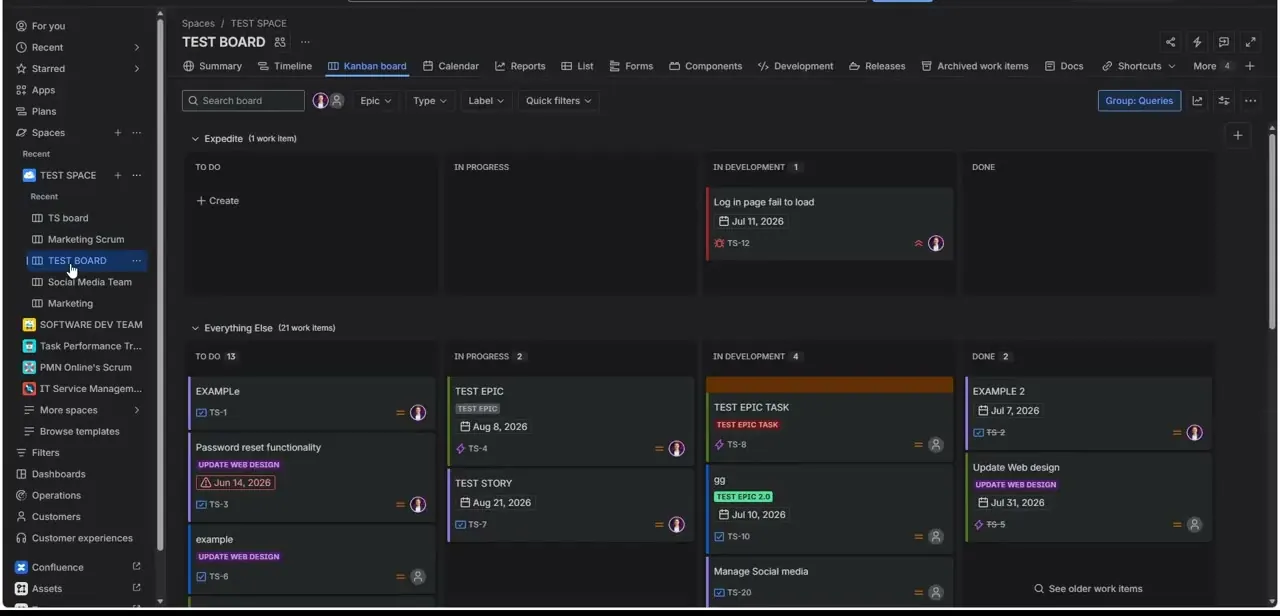
A Jira board — a Kanban view grouped by epic, with columns like To Do, In Progress, In Development, and Done — is the destination this integration is built for. Each card carries a key like TS-12 or TS-8, a due date, and an assignee, and the goal of linking Notion is to give someone looking at a card like "Log in page fail to load" a one-click path to whatever Notion doc has the spec or investigation notes, instead of switching tabs and searching Notion manually.
02Search the Jira Marketplace, not Notion's settings
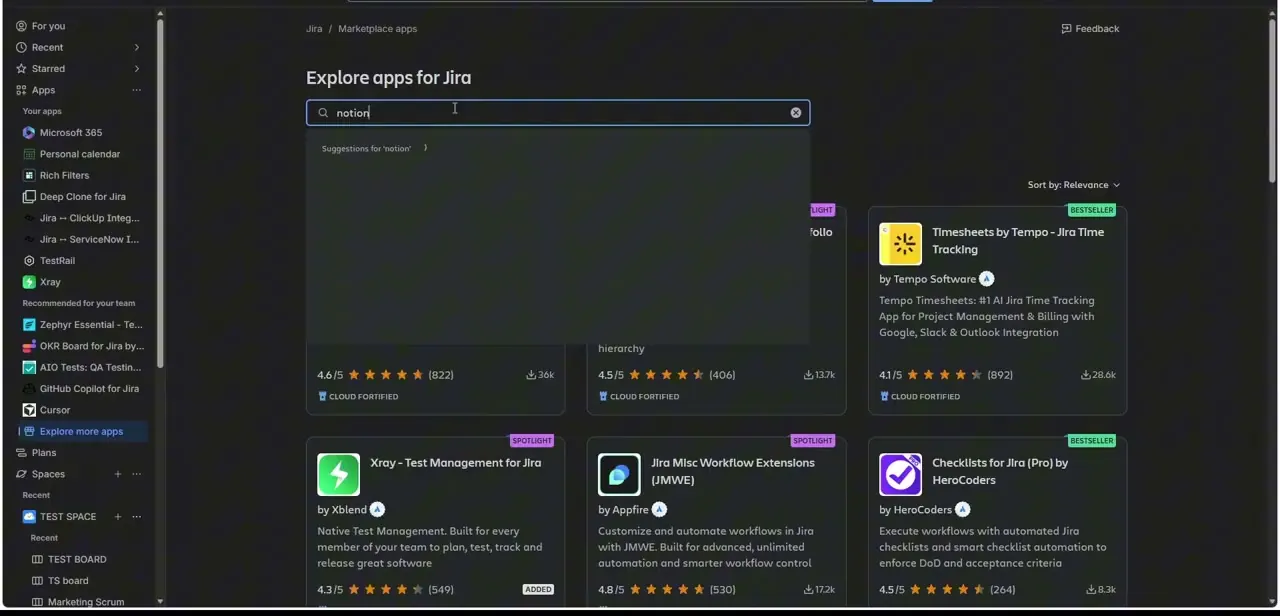
The integration is installed from Jira's side. Inside Jira, open Apps → Explore more apps to reach "Explore apps for Jira," then search "notion." This is worth knowing up front because it's easy to assume the setup starts in Notion's own integrations settings — it doesn't, since this particular connector is a Jira-side app rather than something Notion publishes itself. The search surfaces several results ranked by relevance, star rating, and install count, the same way any Jira Marketplace search works for other categories of app.
03Check the Notion+ for Jira listing before installing
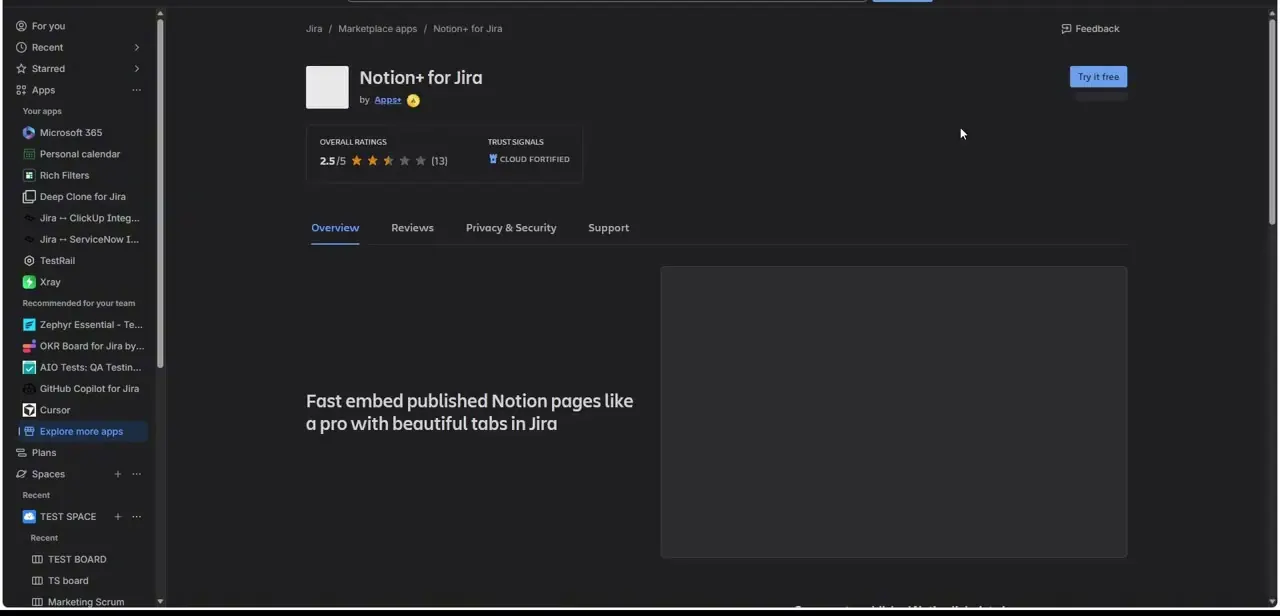
Notion+ for Jira, developed by Appsz, describes itself plainly: "Fast embed published Notion pages like a pro with beautiful tabs in Jira." Its listing shows an overall rating of 2.5 out of 5 from 13 reviews and carries an Atlassian Cloud Fortified trust signal. That rating is worth weighing against your needs — it's not a heavily reviewed, top-tier app, so it's worth reading a few of the actual reviews on the Reviews tab before committing a whole team to it, especially if the workflow is business-critical.
04Understand what gets embedded
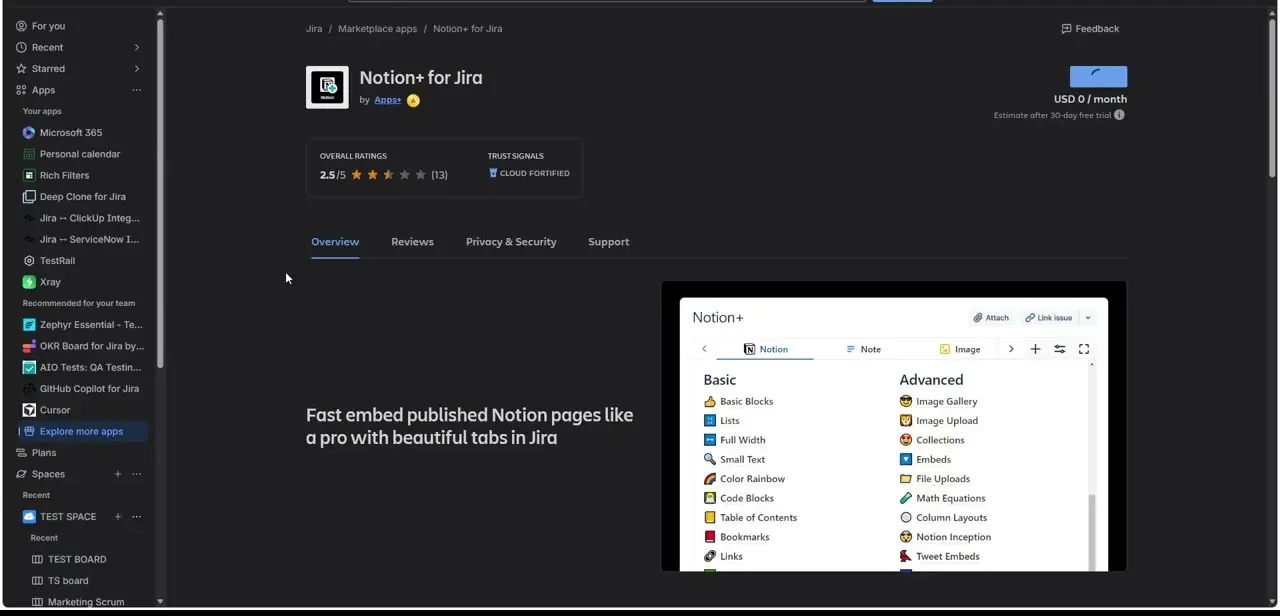
Scrolling the listing shows the actual embed picker: a tabbed panel inside a Jira issue with Notion, Note, and Image tabs, and inside the Notion tab, a library of block types split into Basic (Blocks, Lists, Full Width, Small Text, Color Rainbow, Code Blocks, Table of Contents, Bookmarks, Links) and Advanced (Image Gallery, Image Upload, Collections, Embeds, File Uploads, Math Equations, Column Layouts, Notion Inception, Tweet Embeds). In practice this means you're not just dropping a raw link — you're embedding a formatted, live-updating slice of a published Notion page directly into the Jira issue's Attach panel.
05Check pricing before rolling it out
The listing shows USD 0/month with an estimate shown after a 30-day free trial, meaning it starts free but is expected to convert to a paid tier once the trial ends — the exact post-trial price isn't shown on the overview tab, so check the Pricing details or Support tab, or just start the trial and watch for the renewal notice, before assuming it's free indefinitely. This is a common pattern for Marketplace apps and worth budgeting for if the team ends up relying on it daily.
06Publish the Notion page first
One prerequisite this integration makes clear by name — "embed published Notion pages" — is that the source page needs to be published (shared publicly or via Notion's site publishing) before it can be pulled into Jira this way. A private, unpublished Notion page won't embed correctly, so the workflow in practice is: finish and publish the Notion doc, then go into the relevant Jira issue and use Notion+ to embed it, rather than trying to link work-in-progress pages.
Frequently asked questions
Is there an official integration built by Notion for Jira?
Not directly — the common route shown here is a third-party Jira Marketplace app called Notion+ for Jira, built by developer Appsz, rather than a connector published by Notion itself.
Where do I install the Notion-Jira connection from?
From Jira, not Notion. Open Apps → Explore more apps inside Jira, search "notion," and install Notion+ for Jira from the Marketplace listing.
Is Notion+ for Jira free?
It lists at USD 0/month with pricing estimated after a 30-day free trial, so it starts free but likely converts to a paid tier — check the app's pricing details before relying on it long-term.
Does the embedded Notion page update live in Jira?
It embeds a published Notion page with its formatting and blocks intact; since it pulls from the published page, updates you publish in Notion are reflected when the embed refreshes in Jira.
Does the Notion page need to be published to embed it?
Yes. The app is built to embed published Notion pages, so a private or unpublished page won't embed correctly until it's shared or published from Notion.
Watch the full walkthrough
The same steps, demonstrated on screen from start to finish.