Easy Tech Tuts
How to Merge Boards on Monday.com Easily 2026
By Impran M N
Fragmented boards make it hard to see the whole picture across projects. This guide explains the two ways to merge data in Monday.com: relationally linking boards with Connect Boards and Mirror columns, or physically moving items into a single master board. You'll learn how to choose the right approach and avoid losing task history along the way.
01Decide between linking and moving
Understand the difference between relationally linking boards versus physically consolidating items into one master board before you start.
02Add a Connect Boards column
Build a dynamic relationship between two separate datasets by adding a Connect Boards column to your board.
03Pull live data with Mirror columns
Use Mirror columns to pull real-time data from a secondary board directly into your primary master view.
04Bulk-select and move items
Select multiple items and use the "Move to Board" feature to physically consolidate project groups into one board.
05Map column properties carefully
During a bulk transfer, map custom column types like Status, Numbers, and People correctly to prevent data loss.
06Build a multi-board dashboard
Use the Multi-Board Dashboard layout to visually merge up to 50 boards into a single unified reporting screen.
Frequently asked questions
What's the difference between merging and connecting boards?
Connecting boards relationally links two datasets without moving anything, while physically merging uses "Move to Board" to consolidate items into a single board.
Will I lose task history when I merge boards?
Mapping column properties and field types correctly during a bulk transfer is designed to prevent loss of task history.
How many boards can I combine into one dashboard view?
The Multi-Board Dashboard layout supports merging up to 50 boards into a single unified reporting screen.
Can I undo a board merge if something goes wrong?
The tutorial doesn't cover a specific undo process for merges, so it's worth reviewing Monday.com's activity log and recycle bin options before performing a large bulk move.
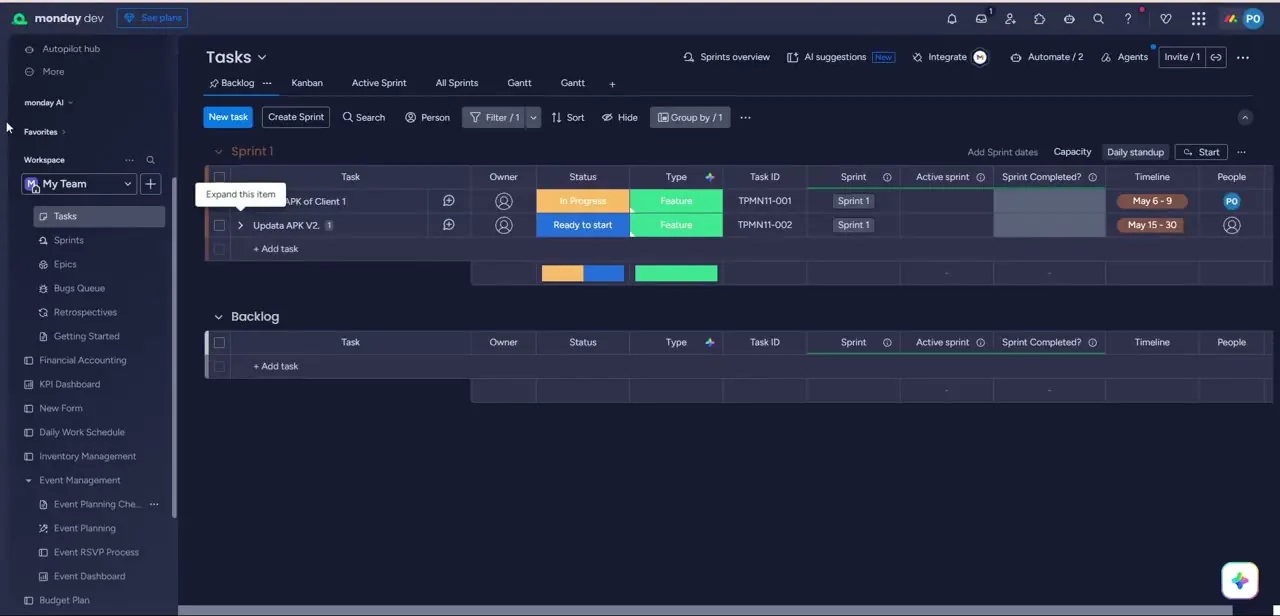
Watch the full walkthrough
The same steps, demonstrated on screen from start to finish.