Easy Tech Tuts
Typeform vs Jotform, Which Typeform Alternative is Best in AI Era 2026?
By Impran M N
Typeform and Jotform solve the same basic problem — collecting structured answers from people who'd rather not fill out a form — but they arrive at it from opposite directions, and that shows up the moment you open either tool. This comparison looks at how each positions itself, what the actual workspace and integrations look like once you're building, and where the real trade-offs land between a conversational, design-led builder and a dense, feature-heavy one. If you've only seen marketing pages for either product, the difference in day-to-day workflow is bigger than the feature lists suggest.
01Jotform markets directly against Typeform
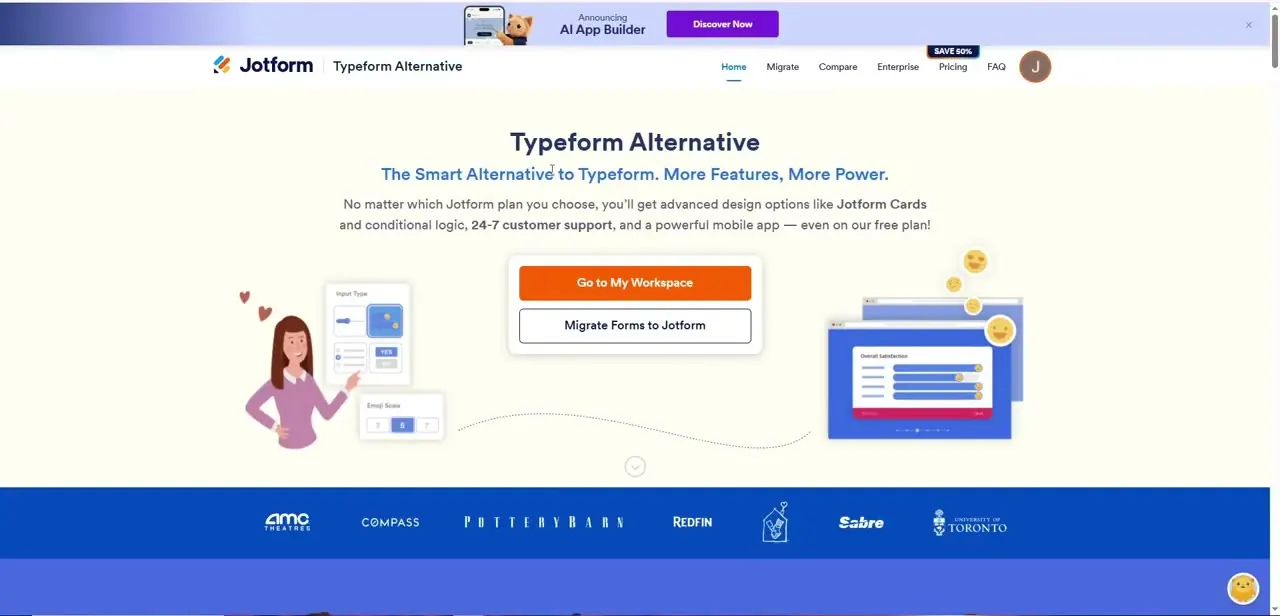
Jotform runs an entire landing page built around the pitch "Typeform Alternative — The Smart Alternative to Typeform. More Features, More Power," promising advanced design options like Jotform Cards and conditional logic on every plan, including free, along with 24/7 support and a mobile app.
That positioning tells you Jotform's whole go-to-market leans on being the more generous, more feature-complete option next to Typeform's polish. It's worth reading that page skeptically the same way you'd read any competitor comparison — accurate on the features it lists, but written to win the comparison, not to be neutral.
02Compare the actual workspace, not just the pitch
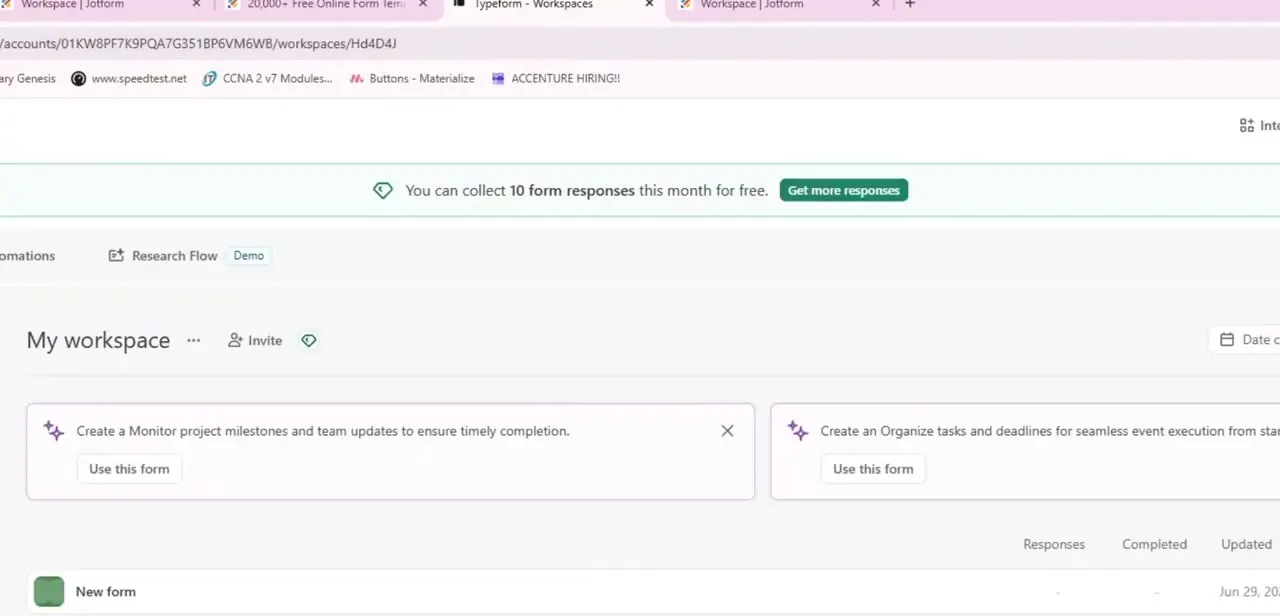
Once you're inside either tool, the workspace is where the philosophy shows through: Typeform's My workspace surfaces AI-suggested form templates right at the top — cards like "Monitor project milestones" or "Organize tasks and deadlines" with a one-click "Use this form" button — alongside a running counter of your free-tier response limit. Jotform's workspace, by contrast, leans into density: more visible options, more configuration up front, less hand-holding toward a single suggested next step. Neither approach is wrong, but if you're used to one, the other will feel either refreshingly simple or frustratingly sparse on your first login.
03Typeform's conversational format vs. Jotform's flexible layouts
Typeform shows one question at a time in a full-screen, animated flow — the format it built its reputation on, and still the reason people choose it for anything customer-facing like a lead form or a quiz. Jotform defaults to a more traditional, all-fields-visible layout closer to a classic web form, which trades some of that conversational polish for faster completion on longer, data-heavy forms where users don't want to click through dozens of individual screens.
If the form is short and the experience matters — a quiz, a survey meant to feel personal — Typeform's format wins. If it's long and functional — an intake form, a detailed application — Jotform's layout is usually less friction.
04Integrations run deep on both, in different directions
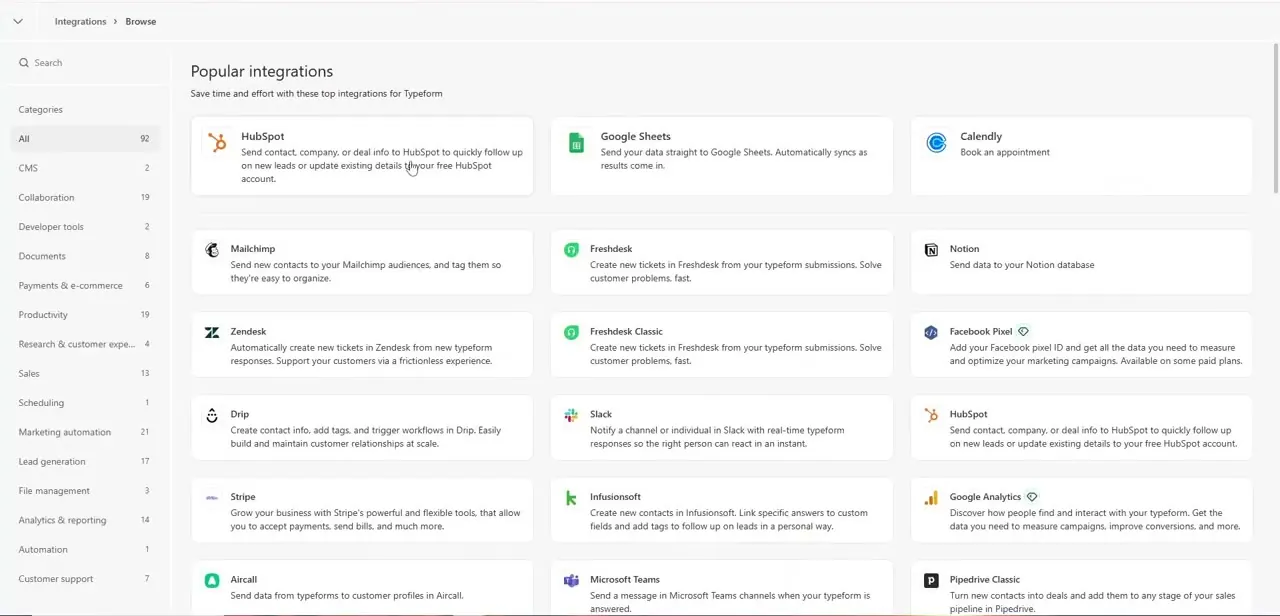
Typeform's integrations list covers the categories you'd expect for a lead-gen and survey tool: HubSpot and Pipedrive for CRM, Google Sheets and Notion for data, Mailchimp and Slack for notifications, Stripe for payments, filterable across categories like Marketing automation, Lead generation, and Payments & e-commerce. Jotform's integration count runs comparably large and leans further into its own ecosystem — PDF generation, e-signature, and its own payment processing show up more prominently, reflecting Jotform's positioning as more of an all-in-one forms-and-documents platform rather than a pure form builder.
05Free plans and pricing land differently
Typeform's free tier is deliberately limited — you'll notice the "10 form responses this month for free" counter sitting right in the workspace as a constant nudge toward upgrading. Jotform's free plan is generally positioned as more generous on both form count and monthly submissions, which is exactly the argument its "Typeform Alternative" landing page leads with. For a low-volume use case — the occasional survey, a single lead form — either free tier may suffice, but a business collecting responses regularly should model expected monthly volume against both pricing pages before committing, since the gap compounds fast at scale.
06Choosing between them
Pick Typeform when the form itself is part of the brand experience — a quiz, an onboarding flow, anything where completion rate and feel matter as much as the data collected. Pick Jotform when you need more form volume per dollar, more built-in document and PDF handling, or a layout that suits longer, denser forms better than a one-question-at-a-time flow. Teams that do both — short branded lead-gen forms and long internal intake forms — sometimes run both tools rather than forcing one into a role it isn't built for.
Frequently asked questions
Which is better for AI-powered form building, Typeform or Jotform?
Both have added AI features for generating and refining forms — Typeform surfaces AI-suggested templates directly in the workspace. Which one actually helps depends on whether you want AI drafting questions for you or just speeding up a form you're building manually.
Does Typeform or Jotform have a better free plan?
Jotform generally positions its free plan as more generous on form count and monthly submissions — it's the centerpiece of Jotform's own "Typeform Alternative" marketing. Typeform's free tier caps monthly responses fairly low, visible right in its workspace UI, so check current limits against your expected volume.
Can both platforms collect payments?
Yes. Typeform integrates with Stripe and other payment providers through its integrations list; Jotform leans further into built-in payment and document handling as part of its broader all-in-one positioning.
Which platform is easier for beginners?
Typeform's one-question-at-a-time conversational format and AI-suggested templates make the first form easy to build with minimal decisions. Jotform's denser, more configurable layout has a slightly steeper first impression but pays off on longer, more complex forms.
Is Jotform's "Typeform Alternative" page a fair comparison?
It's accurate on the specific features it lists — free-plan conditional logic, Jotform Cards, 24/7 support — but it's a competitor's marketing page, not a neutral source, so verify current pricing and features on both platforms directly before deciding.
Watch the full walkthrough
The same steps, demonstrated on screen from start to finish.