 Easy Tech Tuts
How to Fix a Temporarily Locked PayPal Account Easily 2026
By Impran M N
A locked or limited PayPal account can freeze your ability to send or receive money right when you need it most, and the panic of seeing a red restriction banner makes people click around randomly instead of following the actual fix. The good news is that PayPal almost always tells you exactly what it wants before it will lift a hold — the trick is knowing which menu that information lives in. This guide walks through finding the reason for the lock, verifying your identity through the right account screens, and clearing the failed-login and security flags that keep the restriction in place.
01Check your notifications before you touch anything else
Log in at paypal.com and click the bell icon in the top navigation bar first, before trying to send money or edit anything. This is where PayPal posts the specific reason for a limitation — an unusual login location, a spike in transaction volume, or a missing piece of regulatory information — and reading it saves you from guessing. The notification usually links straight into the relevant checklist, so treat it as your starting point rather than digging through menus first.
02Open your account settings to see what's on file
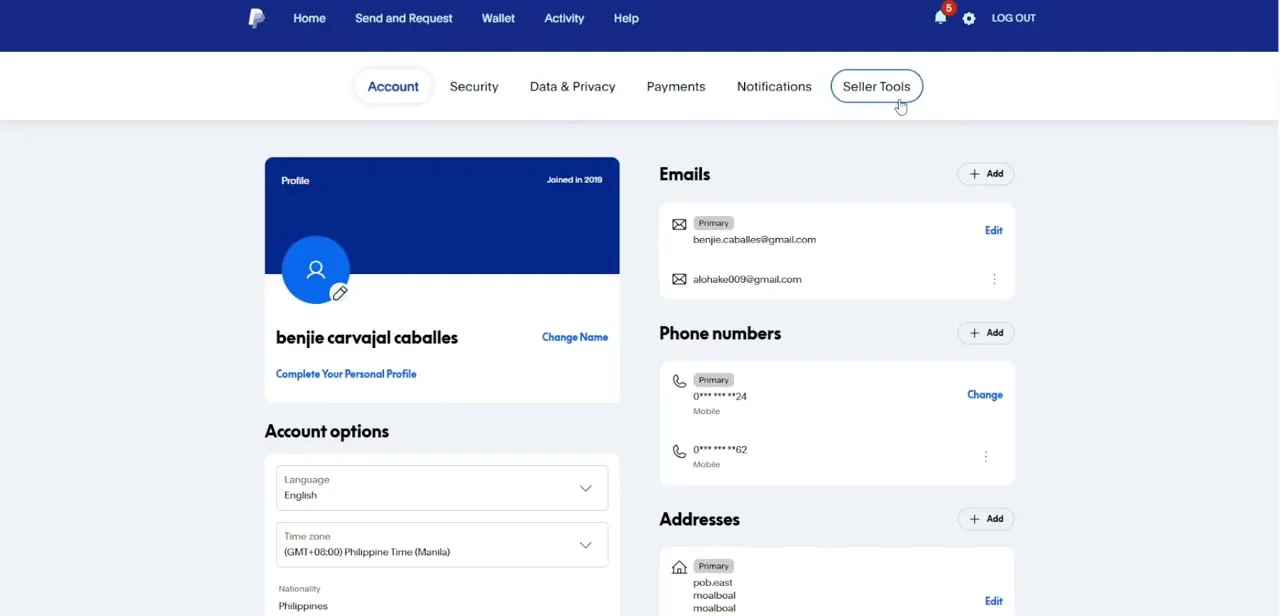
Click the gear icon next to Log Out to reach your account settings, which open by default on the Account tab showing your profile, joined date, linked emails, phone numbers, and addresses. This page is worth a scan even before you deal with the lock, because a mismatched or outdated email, phone number, or address is a common reason PayPal's automated compliance checks flag an account. If anything here looks stale, update it before you submit any verification documents so the two don't contradict each other.
03Move to the Security tab to reset credentials
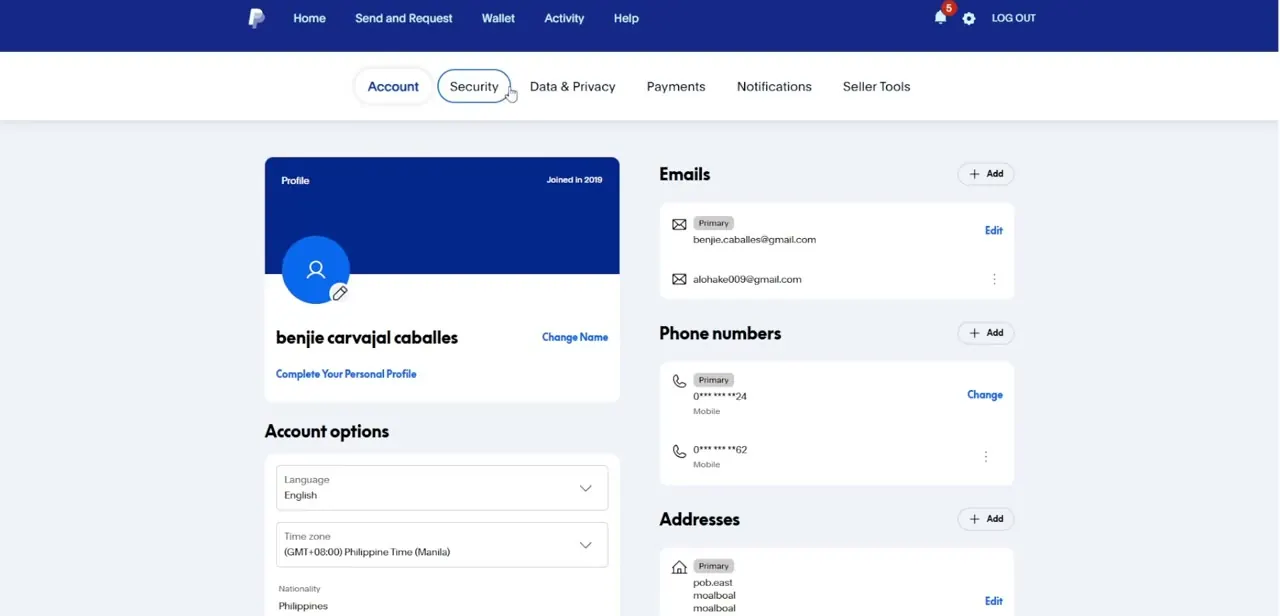
From the same settings area, click over to the Security tab next to Account. This is where you handle password resets and review login activity, which matters if the lock followed several failed sign-in attempts — PayPal's brute-force protection times out automatically, but changing your password here is the fastest way to clear it rather than waiting the lockout period out. Check for any unrecognized devices or sessions listed while you're in this tab, since an unfamiliar login is often exactly what triggered the restriction in the first place.
04Go to Help, then Resolution Center
Click Help in the main navigation and select Resolution Center from the menu. This is the centralized page for every open item PayPal needs from you, listed as separate rows if there's more than one — identity verification and a funding-source confirmation, for example, often show up as two distinct tasks rather than one combined request. Click Resolve next to any active row to open the specific form for that requirement instead of trying to guess what's needed.
05Upload your identity documents
When a row asks for identity verification, PayPal opens a secure upload screen where you drop in a clear photo or scan of a government-issued ID or passport. Make sure the image is well-lit, uncropped, and shows all four corners of the document — blurry or partial scans are the single biggest reason verification gets kicked back for resubmission, adding days to the process. If a second row asks you to confirm a bank or card statement, upload one that clearly shows your name and account number matching what's on file.
06Submit and track the review
Once your documents are attached, click the blue Submit button to send everything to PayPal's review queue. Most reviews resolve within a few business days, and PayPal emails you at each stage, so keep an eye on the inbox tied to the primary email address on your account rather than a secondary one. If you're locked out and can't even reach the login screen, PayPal's guest help line lets you start this process without signing in first.
Frequently asked questions
How long does account restoration usually take?
Turnaround varies, but most reviews complete within a few business days once all requested documents are submitted through the Resolution Center.
Why did my account get locked in the first place?
Common triggers include unusual login locations, sudden high-volume transactions, missing regulatory information, or repeated failed login attempts caught by brute-force protection.
Can I still contact support while locked out?
Yes, PayPal offers guest help lines for users who can't log in to their profile, letting you start the recovery process without account access.
Will I lose my transaction history if my account is locked?
No, your history stays intact and becomes fully accessible again as soon as the restriction is lifted.
What's the fastest way to clear a lock from failed logins?
Reset your password from the Security tab in account settings rather than waiting out the automatic lockout timer — it clears the block immediately.
Watch the full walkthrough
The same steps, demonstrated on screen from start to finish.


