Easy Tech Tuts
How to Use Mermaid in Microsoft Loop Easily 2026
By Impran M N
Instead of building process flows in a separate diagramming tool and re-uploading static images every time something changes, Microsoft Loop lets you write Mermaid.js code directly on the page and render it as a live diagram. Because the diagram is just text underneath, anyone with edit access can tweak a box label or add a step without touching a drawing tool at all — the shape updates itself. This guide covers inserting a Mermaid block, writing basic flowchart syntax, and reading the code-and-preview layout Loop renders it in.
01Open the diagram block on a free line
Click onto an empty line in your Loop page and type the slash command for Mermaid, which swaps that line for a code entry module instead of a plain text block. This is the same slash-command pattern Loop uses for tables, images, and other structured content, so it feels familiar once you've used it once. The block opens with a language selector already set — visible in the corner of the module — confirming you're in a Mermaid-aware code block rather than a generic one.
02Write basic flowchart syntax
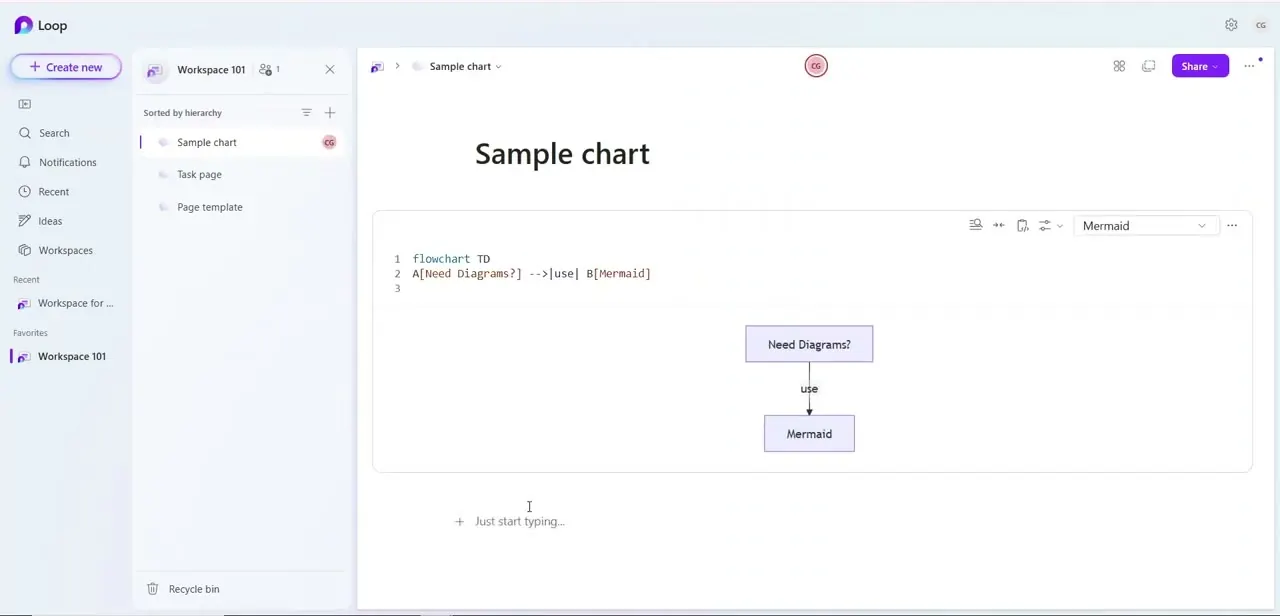
A minimal flowchart starts with a direction declaration like flowchart TD for top-down, followed by node definitions and arrows on the next lines. Something as short as A[Need Diagrams?] -->|use| B[Mermaid] defines two labeled boxes and an arrow between them tagged with the word "use" — three lines of plain text producing a fully rendered flowchart with no drawing involved. Node names on the left of the brackets (A, B) are just internal identifiers; the text inside the brackets is what actually shows up in the box, so you can rename labels freely without breaking the connections between them.
03Read the code-and-diagram layout
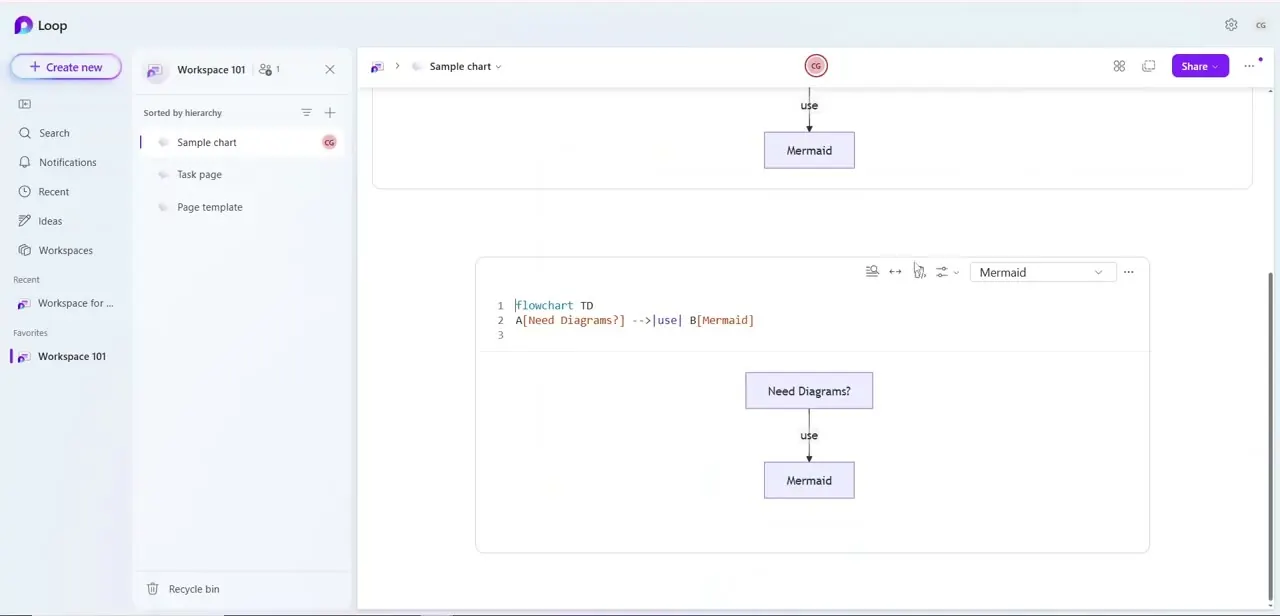
Loop renders the Mermaid block as a code editor on top with line numbers down the left side, and the compiled diagram appears directly underneath it in the same container, with small toolbar icons and a language dropdown along the top edge for managing the block. This means you don't have to hunt for a separate preview pane — editing the code and watching the shape change happen in the same visual space, which makes it easy to iterate on a diagram by trial and error. Scrolling the page keeps both the code and its rendered output together as one unit rather than splitting them apart.
04Extend the diagram with more nodes and connections
Once the basic two-box flowchart works, add more lines following the same pattern — another node definition and arrow per line — to build out a longer process. Mermaid also supports other diagram types beyond flowcharts, including sequence diagrams for showing interactions over time and Gantt charts for timelines, all written with their own similarly compact syntax. Because everything is plain text, restructuring a diagram is just editing lines rather than dragging shapes around a canvas, which is faster once you're comfortable with the syntax.
05Let teammates edit the live script together
Because the diagram lives as an actual code block on a shared Loop page rather than an exported image, any teammate with edit access can open it and change a label, add a branch, or fix a typo directly in the syntax. The rendered diagram updates immediately for whoever is looking at the page, without anyone needing to re-export or re-upload anything. This is the real advantage over a diagram built in external drawing software — the source and the visual are the same object, so they can never drift out of sync.
Frequently asked questions
Do I need to know how to code to use Mermaid in Loop?
You need to learn basic Mermaid syntax like flowchart TD or sequence diagrams, but it's much simpler than general programming and mostly involves naming nodes and connecting them with arrows.
Can I make more than flowcharts with Mermaid in Loop?
Yes, Mermaid supports several diagram types including flowcharts, sequence diagrams, and Gantt charts, all written as text.
Why is my Mermaid diagram stuck showing a blank or gray box?
This is usually a rendering glitch that can often be fixed by clearing your browser cache or refreshing the page.
Can teammates edit the same Mermaid diagram together?
Yes, since it's a live code block on a shared Loop page, teammates can edit the underlying script and see updates reflected for everyone.
What does the arrow label syntax like -->|use| actually mean?
The pipes around a word on an arrow, like |use|, add a label to that specific connection, so the flowchart shows not just that two boxes are linked but what the relationship between them is.
Watch the full walkthrough
The same steps, demonstrated on screen from start to finish.