 Easy Tech Tuts
How to Connect Google Drive to Slack Easily 2026
By Impran M N
A Google Doc link dropped into Slack without the Drive integration is just a blue line of text — click it, wait for a new tab, hope you already have access. Connecting Google Drive to Slack turns that into a live card with comment activity, lets you grant view access without leaving the conversation, and makes file content searchable from Slack's own search bar. This guide covers finding the official app, what its listing and per-member authentication actually require, and the features its usage guide points you toward once it's live.
01Find Google Drive in the Apps directory
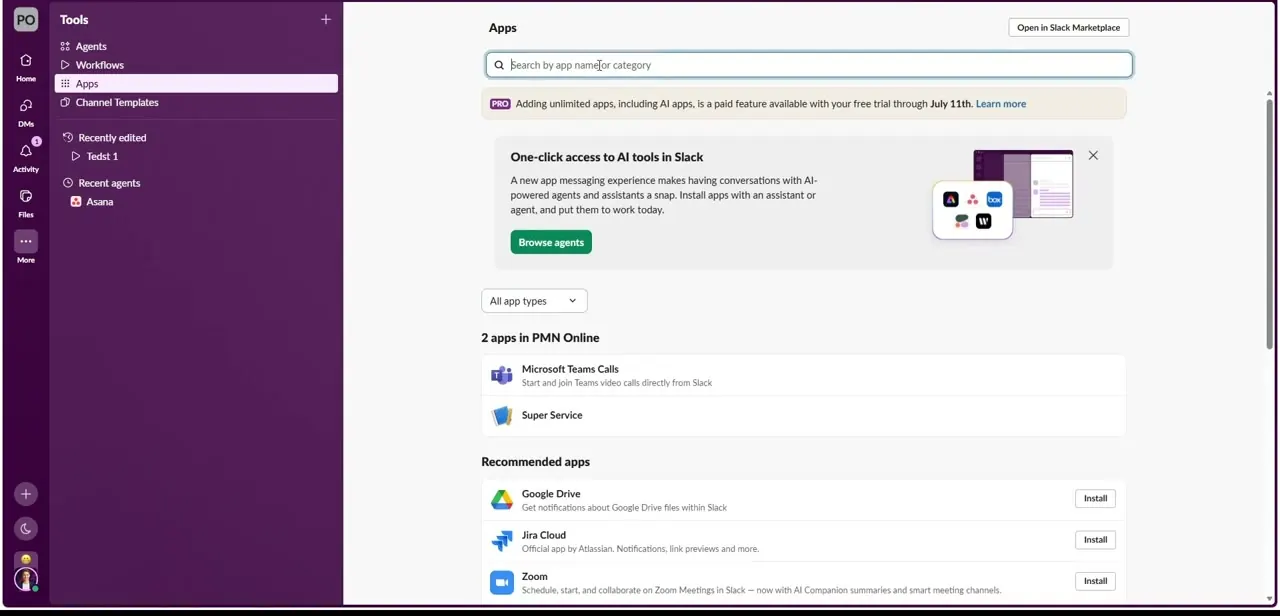
From the Tools menu in Slack, open Apps. Google Drive usually appears in the "Recommended apps" row without needing to search, described plainly as getting "notifications about Google Drive files within Slack." Click Install next to it, or click through to the full listing first if you want more detail before adding it to your workspace.
02Review what the app actually does before adding it
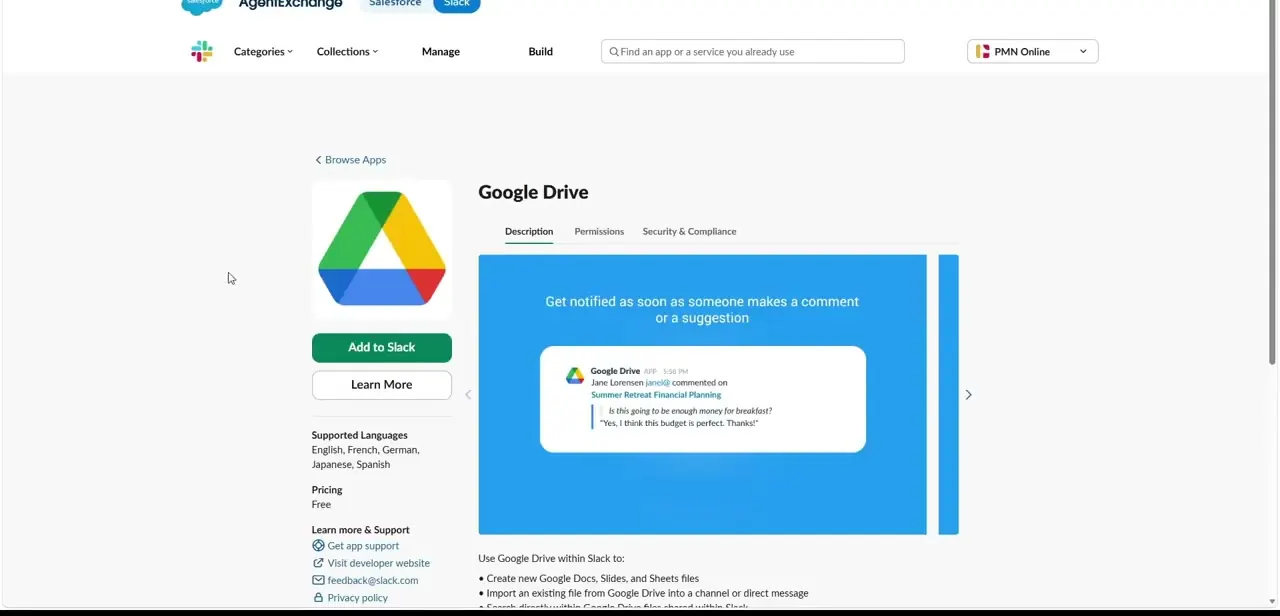
The full marketplace listing leads with its most useful feature: getting notified the moment someone comments on or suggests an edit to a shared file, shown right on the page with a sample notification card. Below that, the description lists what using Google Drive inside Slack actually covers — creating new Google Docs, Slides, and Sheets files without leaving Slack, and importing an existing Drive file into a channel or direct message. It's listed as free, and supports English, French, German, Japanese, and Spanish.
03Authenticate — but know it's per member, not workspace-wide
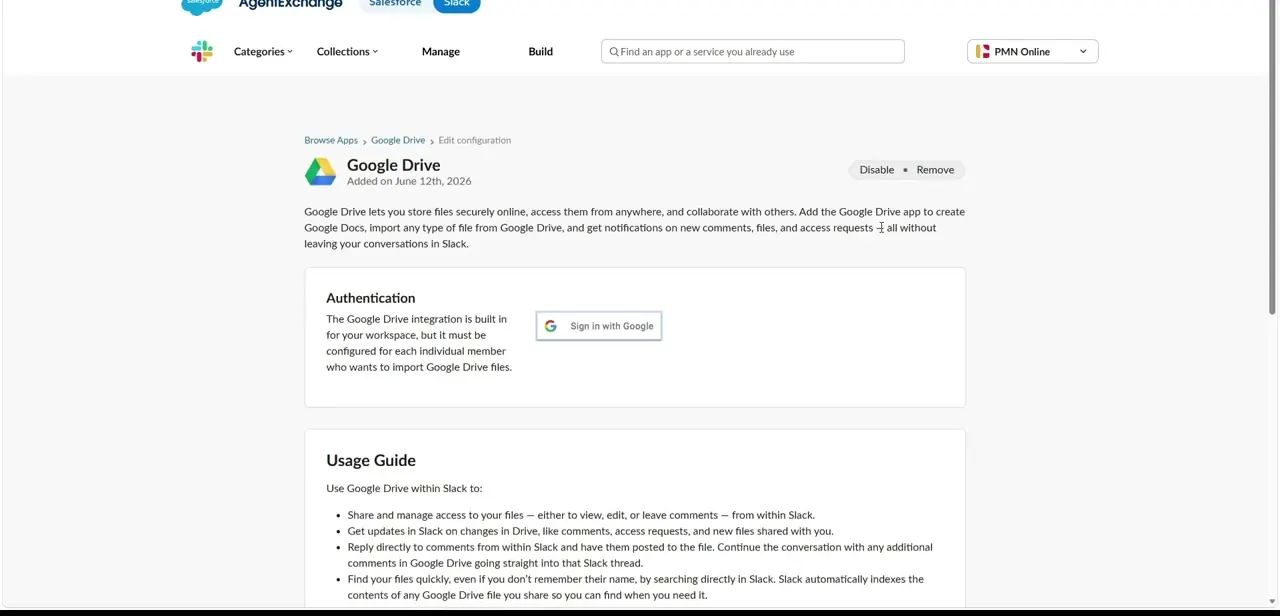
After adding the app, its configuration page makes an important distinction clear: the integration is built into your workspace, but each individual member still has to sign in with their own Google account before they can import Drive files or get personalized notifications. The Sign in with Google button on this page is what does that — every teammate who wants to use the Drive features needs to click it once under their own login, not just whoever installed the app first.
04Learn what the usage guide actually enables
The same configuration page includes a usage guide worth reading in full rather than skimming: it covers sharing and managing access to your files — viewing, editing, or leaving comments — directly from Slack, getting updates in Slack when a file changes or gets a new comment or access request, replying to comments from inside Slack with your reply posted straight back to the file, and finding files by searching Slack's own search bar since it indexes the contents of anything you've shared. That last point means a Drive file you shared weeks ago is searchable by its content, not just its filename.
05Test link unfurling and an in-app permission grant
Paste a Google Doc, Sheet, or Slide link into a channel and confirm Slack expands it into a rich preview card with the file's title and type rather than leaving it as plain text. Then try the access-request flow: if a teammate without view access clicks the link, Slack can surface an in-app permission prompt letting you grant them access on the spot, instead of them having to separately request it in Google Drive and wait for you to notice.
Frequently asked questions
Will Slack be able to access all my Drive files?
No. Slack only interacts with files you explicitly share as links or import into the workspace — it doesn't get standing access to your entire Drive by default.
Can I grant document access directly from Slack?
Yes, the integration supports in-app permission prompts so you can grant view access to channel members without leaving Slack to change sharing settings in Google Drive.
Will I get notified about comments on a shared document?
Yes — comment and suggestion notifications are the integration's headline feature, along with alerts for new access requests and files shared with you.
Does every teammate need to sign in separately?
Yes. The app is added once at the workspace level, but each individual member has to sign in with their own Google account before they can import files or receive personalized notifications.
Does this work with a personal Gmail account or only Workspace accounts?
Both personal Google accounts and Google Workspace accounts can generally be connected through the same Sign in with Google step.
Watch the full walkthrough
The same steps, demonstrated on screen from start to finish.


