 Easy Tech Tuts
How to Cancel Offer on Ebay, Delete the bidding offer or Retract it Easily 2026
By Impran M N
Accidental offers happen, and eBay gives you more than one way to walk one back — but the two options aren't the same thing. One simply clears the offer off your list; the other is a formal cancellation with a stated reason that eBay actually records against the listing. This guide follows both paths from the same starting point, your Bids/Offers page, so you can see exactly where they diverge and pick the one that fits your situation.
01Open Bids/Offers from your account menu
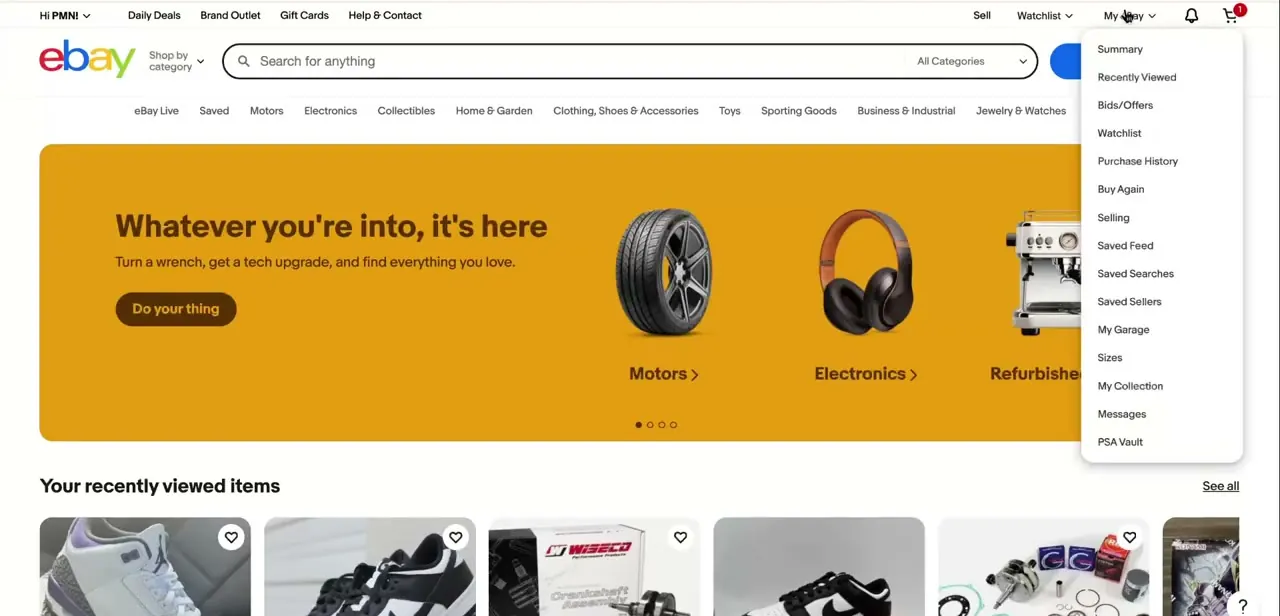
On the eBay website, click your account name near the top left — the greeting reads something like "Hi [name]!" — to open the dropdown menu. Bids/Offers sits partway down the list, alongside Watchlist, Purchase History, and Selling. This is the central page for anything you've bid on or made an offer for, split into tabs for Bidding, Best Offers, and Didn't Win, so it's worth bookmarking if you're active on auction-style listings regularly.
02Find the offer in your Offers list
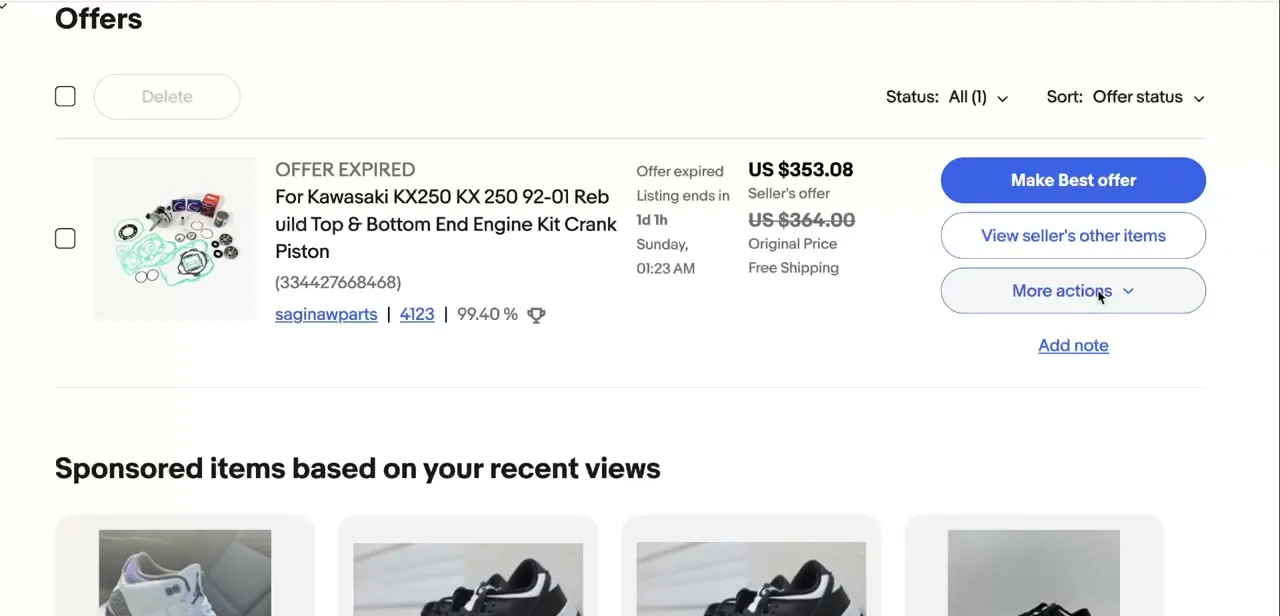
Under the Best Offers tab, each offer you've made shows its status, the item, the price you offered against the seller's asking price, and a countdown to when the offer or listing expires. Every row has a checkbox on the left, and above the list sits a Delete button alongside Status and Sort filters. This is the fastest way to clear an offer that's already expired or that you simply don't want cluttering the list anymore — check the box next to it and use Delete.
03Understand what Delete actually does
Checking a box and clicking Delete removes that entry from your Offers list view — it's a housekeeping action, not a formal cancellation with the seller. It's the right choice for offers that have already expired or lost, where there's nothing left to actually retract. If the offer is still active and you want the seller to know it's withdrawn rather than just disappearing from your own list, that's a different action, covered next.
04Open the offer's details to cancel it formally
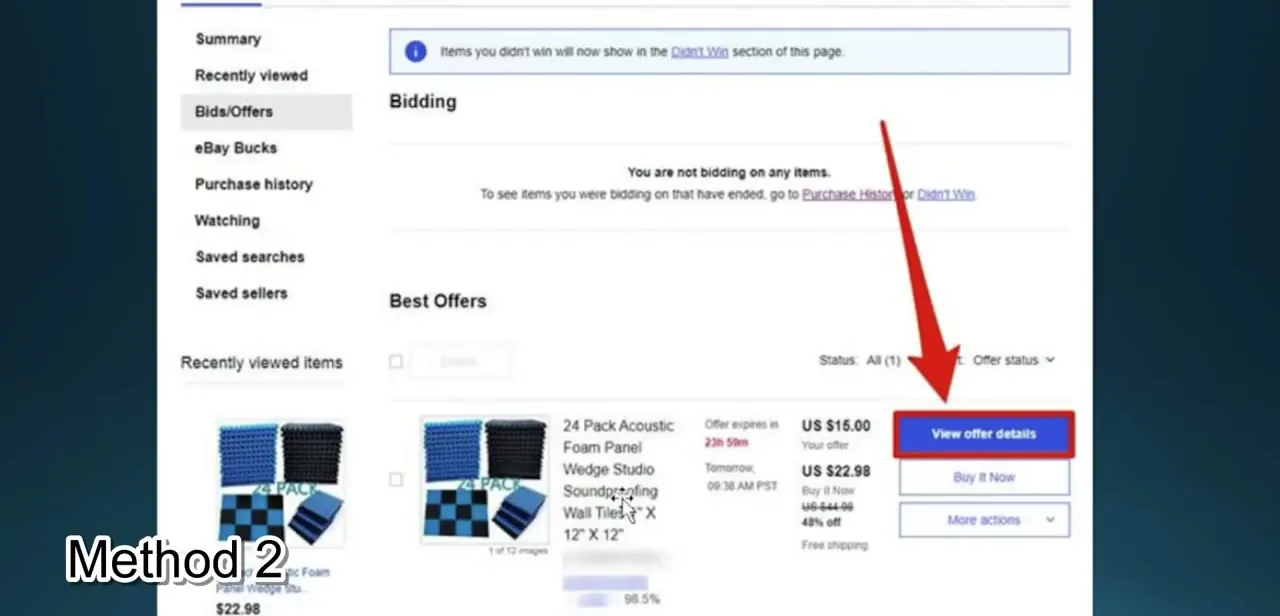
For an active offer you need to actually retract, open its individual listing and use View offer details rather than deleting from the list. That takes you into the offer's own page, separate from the summary row, where the real cancellation controls live. This route matters when the offer is still live and the seller could otherwise accept it — deleting the row on your end doesn't stop that from happening, but going through the offer's own page does.
05Choose a reason and cancel the offer
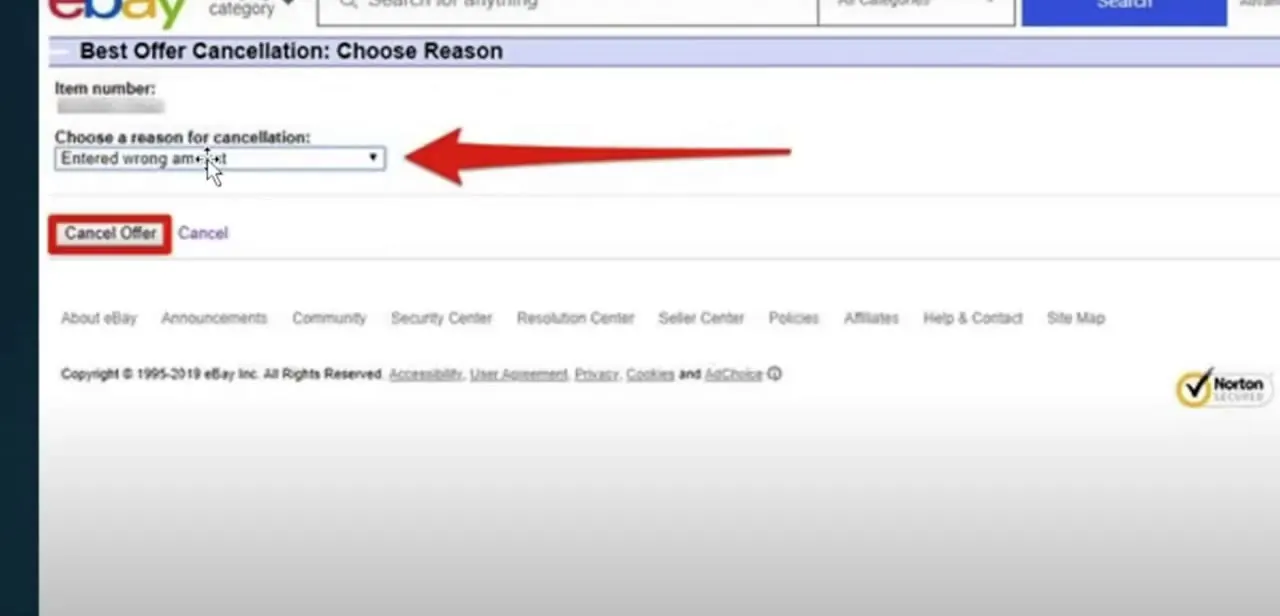
Inside the offer's details, the cancellation page is headed "Best Offer Cancellation: Choose Reason." A dropdown lists eBay's accepted reasons — options like "Entered wrong amount" are common for a simple mistake — and selecting one is required before the Cancel Offer button will actually process the withdrawal. This is the meaningful difference from deleting a row: eBay records why the offer was pulled, which matters if the same situation ever comes up again on that account, and it notifies the seller the offer is no longer available to accept.
Frequently asked questions
What's the difference between deleting an offer and canceling it?
Deleting from the Offers list just removes the row from your own view — it doesn't notify the seller or stop an active offer from being accepted. Canceling through the offer's own details page, with a stated reason, formally withdraws it.
Do I need a reason to cancel a Best Offer?
Yes. The cancellation form requires selecting a reason from a dropdown, such as "Entered wrong amount," before the Cancel Offer button will process it.
Can I delete an offer instead of canceling it?
You can, and it's fine for offers that have already expired or lost. For a still-active offer you actually need withdrawn, deleting the list entry alone isn't enough — use the offer's own cancellation page instead.
Is canceling an auction bid the same process as canceling a Best Offer?
No — auction bid retraction is a separate eBay process with its own eligibility rules, distinct from the Best Offer cancellation flow, since bids and offers work differently on eBay's platform.
Can sellers cancel an offer they received?
Sellers have their own tools for declining or ending unwanted offers from their side, separate from the buyer-side cancellation flow covered here.
Watch the full walkthrough
The same steps, demonstrated on screen from start to finish.


