 Easy Tech Tuts
How to Learn on Coursera | Beginner's Complete Guide | Easily 2026
By Impran M N
Coursera offers a huge catalog of courses, specializations, and full degrees, which can feel overwhelming if you don't know how to navigate it efficiently. The platform actually has a few distinct ways to browse — curated skill collections, a dedicated degrees section, and a search bar with its own AI-assisted overview — and knowing which to use for which goal saves a lot of aimless scrolling.
Picking the wrong entry point is a common reason people bounce off the platform after one session, deciding it's too big to make sense of. This guide walks through creating an account, exploring courses through each of those paths, and enrolling so you get the most out of the platform, along with a few habits that make self-paced learning actually stick. It's built for beginners, whether you're a student building skills or a professional looking to upskill, and it's written around what the platform actually looks like the first time you log in rather than a generic overview of online learning in general.
01Create your Coursera account
Sign up and set up your profile as the first step before browsing or enrolling in any courses. You'll be asked to set a career goal during onboarding, which Coursera then uses to shape recommendations across the site — it's worth taking seriously rather than skipping, since it directly affects what gets surfaced to you later, from the curated skill cards on the homepage to the suggestions in search. You can change this goal later from your account settings if your focus shifts, so treat your first answer as a reasonable starting point rather than a permanent commitment.
02Explore curated skill collections
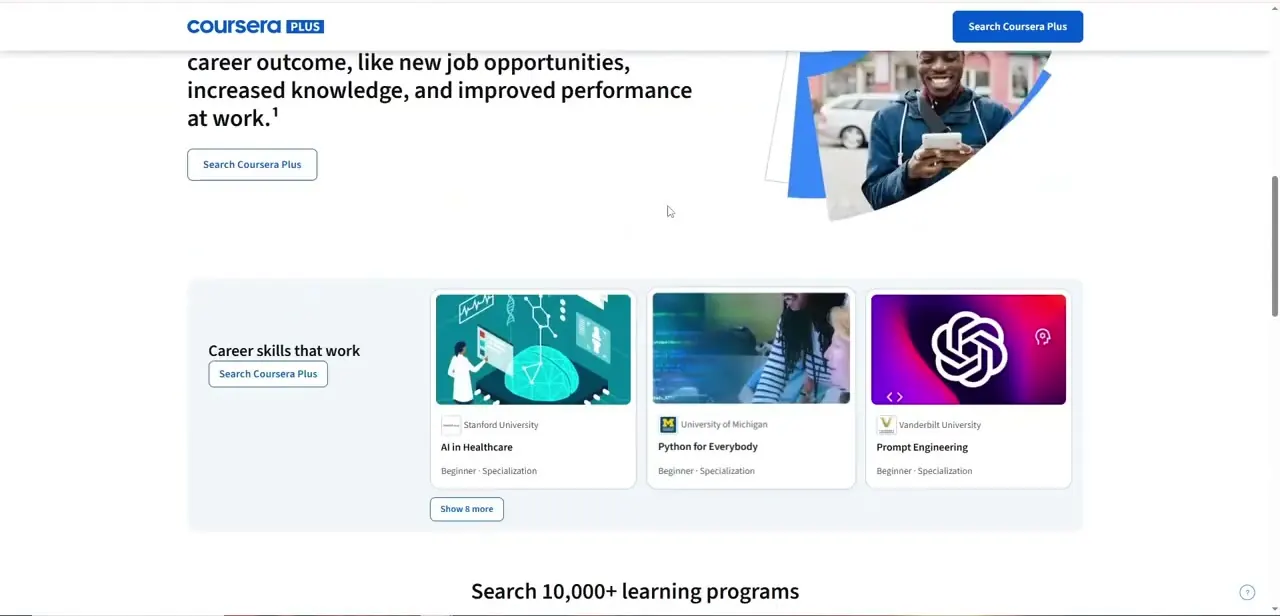
The Coursera Plus landing area groups courses into "Career skills that work" cards, spanning things like AI in Healthcare from Stanford, Python for Everybody from University of Michigan, and Prompt Engineering from Vanderbilt. These curated groupings are a fast way to see what's popular and job-relevant in a given field without typing a search query, and clicking "Show 8 more" under any card expands it into a longer list within the same category. It's a good place to start if you know the general field you're interested in but haven't settled on a specific course title yet.
03Browse full degree programs
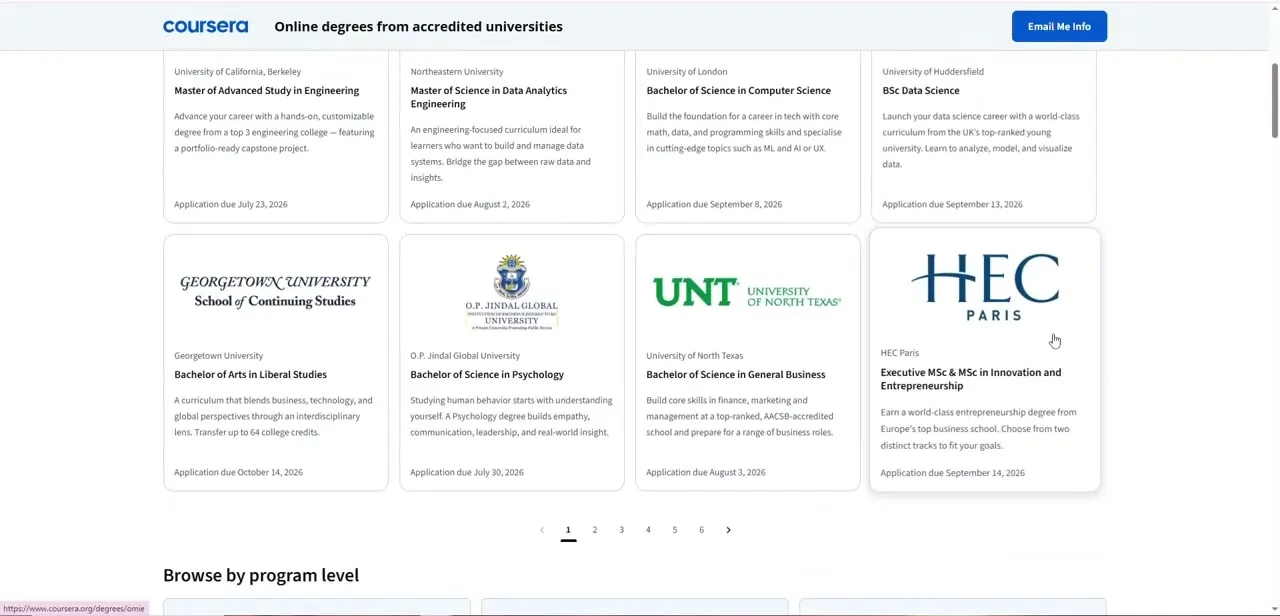
If you're after more than a single course or certificate, the Degrees section lists accredited bachelor's and master's programs from partner universities, each showing its application deadline right on the card — dates like an October or September due date are common, so this is worth checking early if a term-based deadline matters to you. Programs range from a Bachelor of Science in Computer Science to specialized options like an Executive MSc in Innovation and Entrepreneurship, and the page paginates through several screens of options rather than dumping everything at once, so give yourself real time to browse rather than assuming the first page covers everything relevant.
04Search for a specific skill or course
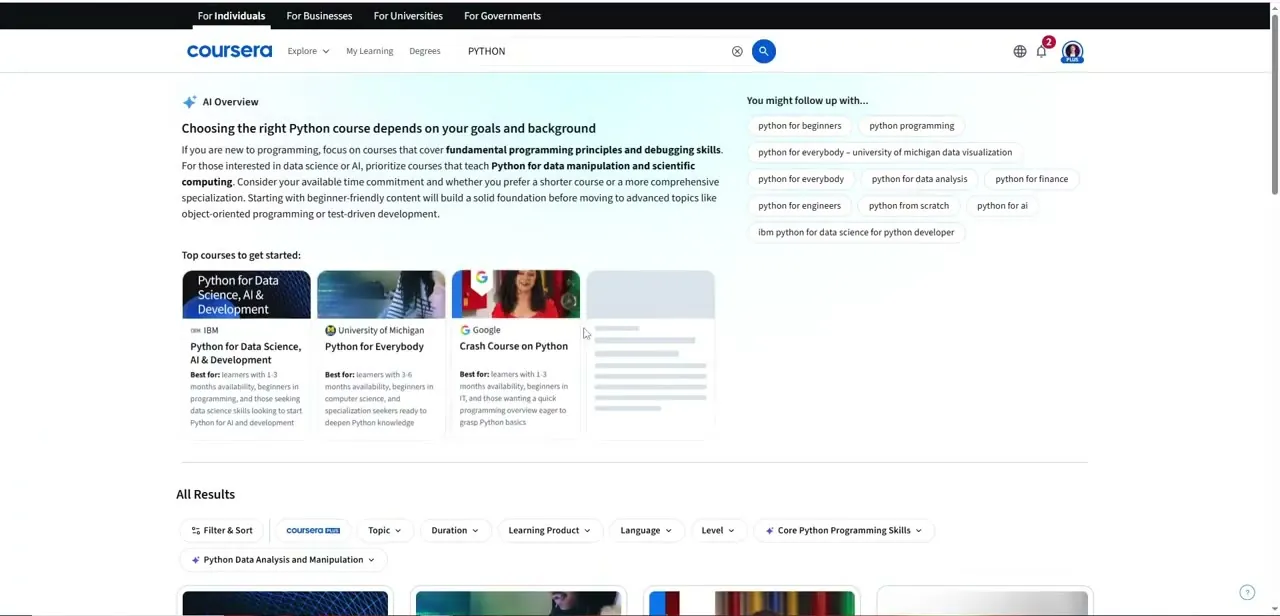
For a more targeted approach, use the search bar and type what you actually want to learn — searching "Python," for instance, surfaces an AI-generated overview at the top explaining how to choose between beginner-friendly and specialized courses, followed by a row of top course picks and related searches like "python for data analysis" or "python for beginners." This AI Overview is genuinely useful for narrowing a broad topic into the right starting course rather than guessing from titles alone, especially when a search returns dozens of results that all sound similar at a glance.
05Enroll in your first course
Once you've found a course that fits, whether through curated cards, a degree listing, or search, go through the enrollment process to gain access to its materials. Free audits are available on many individual courses, while specializations and degrees typically require a Coursera Plus subscription or per-program payment, so check the enrollment page carefully before assuming a course is free — the pricing model differs enough between a standalone course and a multi-course specialization that it's easy to be surprised partway through.
06Navigate course materials
Get familiar with how lessons, assignments, and resources are organized within a course so you can move through it efficiently. Most courses follow a consistent structure of video lectures, readings, and graded assignments grouped into weekly modules, with a progress bar tracking how far you've gotten — useful for picking up where you left off after a break, since self-paced courses don't otherwise remind you where you stopped. Assignments are often graded automatically or through peer review depending on the course, so check how a given module is assessed before you're surprised by an unfamiliar grading format partway through.
07Apply tips for online learning success
Use strategies for staying on track and motivated, since self-paced online learning requires more self-discipline than a classroom setting. Setting a weekly learning target, which Coursera tracks and displays alongside your streak, is a simple way to build consistency rather than relying on motivation alone to carry you through a multi-week specialization. Blocking out the same time slot each week, even a short one, tends to work better than trying to find an open hour whenever it happens to appear, since a recurring commitment is far easier to sustain than one you have to renegotiate with yourself every few days.
Frequently asked questions
Is Coursera free to use?
Coursera offers both free and paid content — many individual courses can be audited for free, while specializations, professional certificates, and degrees generally require payment or a Coursera Plus subscription.
Does Coursera recommend courses based on my interests?
Yes, both the career-goal you set during onboarding and the AI Overview in search results help surface courses tailored to what you're trying to learn.
Can I get a certification from Coursera courses?
Certifications are available for many courses and specializations and can be used to demonstrate skills that are in demand across various industries.
Is Coursera good for professionals, not just students?
Yes, the platform serves both students building foundational skills and professionals seeking to upskill, with degree programs and career-focused specializations for either path.
What's the difference between a specialization and a degree on Coursera?
A specialization is a shorter, skills-focused sequence of courses, while a degree listed under the Degrees section is a full accredited program from a partner university with its own application deadline.
Watch the full walkthrough
The same steps, demonstrated on screen from start to finish.


